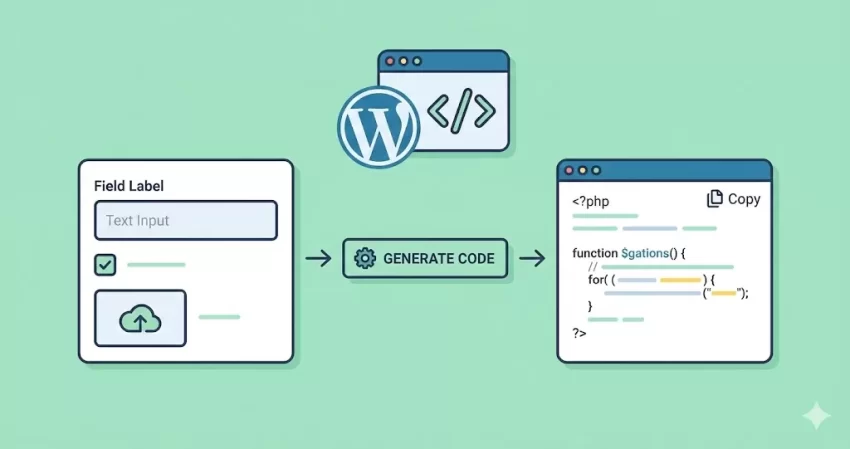
The Ultimate Free WordPress Metabox Generator
Let’s be honest: even for seasoned developers who have been coding since 2008, remembering the exact syntax for WordPress meta boxes is a chore. You find yourself digging through the Codex, copy-pasting old snippets from StackOverflow, or worse—installing a heavy plugin just to add a simple text field to a post.
That ends today. Welcome to the PixelNet WordPress Metabox Generator, the cleanest way to build custom fields for your themes and plugins.
Why Use a WordPress Metabox Generator?
Custom Meta Boxes are the lifeblood of customized WordPress sites. They allow you to add extra data—like a “Subtitle” for a blog post, a “Price” for a product, or a “Download Link” for a resource—directly to the WordPress editor.
While plugins like ACF or CMB2 are fantastic, they add external dependencies and “bloat” to your site. If you are a performance-minded developer who prefers native WordPress solutions, you need raw PHP code.
Our WordPress Metabox Generator does the heavy lifting for you. It writes the complex arrays, handles the nonce security verification, and sets up the data sanitization automatically. You get pure, copy-paste-ready code that you can drop directly into your functions.php file or custom site specific plugin.
Key Features
This isn’t just a basic text-field generator. We have designed this tool to handle real-world development scenarios:
- Supports All Locations: Add fields to Posts, Pages, Categories, Tags, and even Custom Post Types (CPTs).
- Rich Field Types: Generate code for text inputs, text areas, checkboxes, radio buttons, select dropdowns, color pickers, and more.
- Built-in Media Uploader: One of the hardest things to code from scratch is the WordPress Media Uploader. Our WordPress Metabox Generator writes the JavaScript and PHP required to launch the native media library and save image URLs.
- Security First: The code includes wp_nonce_field checks and context-aware sanitization functions (like
esc_url_rawandsanitize_text_field) to ensure your data is safe.
How to Use the Tool
Using our WordPress Metabox Generator is faster than searching for a plugin. Just follow these three steps:
Step 1: Configure General Settings
Start by defining where your meta box should live. Give it a unique ID (slug) and a Title. Choose the “Screen” location—whether you want it on standard Posts or a specific Custom Post Type. You can also define the priority (High/Low) and context (Side/Normal) to control where the box appears in the editor.
Step 2: Add Your Fields
Switch to the “Meta Fields” tab. This is where the magic happens. Click “Add New Field” to stack as many inputs as you need.
- Select your Field Type (e.g., Image/File Upload).
- Give it a Label and a Default Value.
- For advanced fields like “Image,” you can even restrict allowed file types (e.g., jpg, pdf).
- The tool automatically suggests a Meta Key ID, but you can edit this to match your naming conventions.
Step 3: Copy and Deploy
Once you are happy with your setup, look at the code block at the bottom. The WordPress Metabox Generator updates in real-time. Simply click the code block to copy the entire snippet to your clipboard. Paste it into your theme’s functions.php or your custom plugin file, and you are done!
Privacy and Security: Your Data Stays with You
We take privacy seriously. Unlike other online tools that process your inputs on their servers, our WordPress Metabox Generator is 100% Client-Side.
What does that mean? It means the code generation logic runs entirely in your web browser using JavaScript. When you type your field labels or keys, no data is ever sent to our server. You can even load this page, disconnect your internet, and the tool will still work perfectly. Your project structure and variable names remain completely private.
Frequently Asked Questions (FAQs)
Q: Do I need to install a library for the code to work?
A: No. The code generated by this WordPress Metabox Generator uses native WordPress functions (add_meta_box, get_post_meta, etc.). It has zero dependencies.
Q: Does this support the Block Editor (Gutenberg)?
A: Yes. Native meta boxes are fully compatible with Gutenberg. They will appear in the “Document” sidebar or at the bottom of the content area, depending on the “Context” you select.
Q: Can I use this for Custom Post Types?
A: Absolutely. In the General Settings tab, simply select “Custom Post Type” and enter your CPT slug (e.g., movie or portfolio).
Q: Why use this instead of a plugin?
A: Plugins store data in their own way and load extra scripts on every page load. By using our WordPress Metabox Generator, you ensure your site loads only the code it actually needs, resulting in faster database queries and better frontend performance.
Start Coding Smarter
Stop wasting time debugging array syntax. Use the WordPress Metabox Generator above to streamline your workflow and keep your projects lightweight and secure. If you have feature requests or find a bug, feel free to reach out to us!