Choosing the right foundation for your WordPress website is arguably the most critical decision you will make as a developer. In the battle of Astra vs GeneratePress, we aren’t just comparing two themes; we are comparing two philosophies of web development. Both are titans in the WordPress ecosystem, renowned for their speed, lightweight footprint, and developer-friendly architecture.
If you are building a site in 2025, you likely want a theme that offers granular control without sacrificing performance. Whether you are a casual blogger or a hardcore developer, this guide will dissect the Astra vs GeneratePress debate to help you decide which powerhouse deserves to power your next project.
Astra vs GeneratePress – At a Glance: The Quick Verdict
Before we dive deep, here is a quick summary for those in a rush.
1. Performance and Speed
When discussing Astra vs GeneratePress, speed is usually the primary factor. Both themes are “performance-first,” meaning they ship without jQuery dependencies and use vanilla JavaScript.
GeneratePress Performance
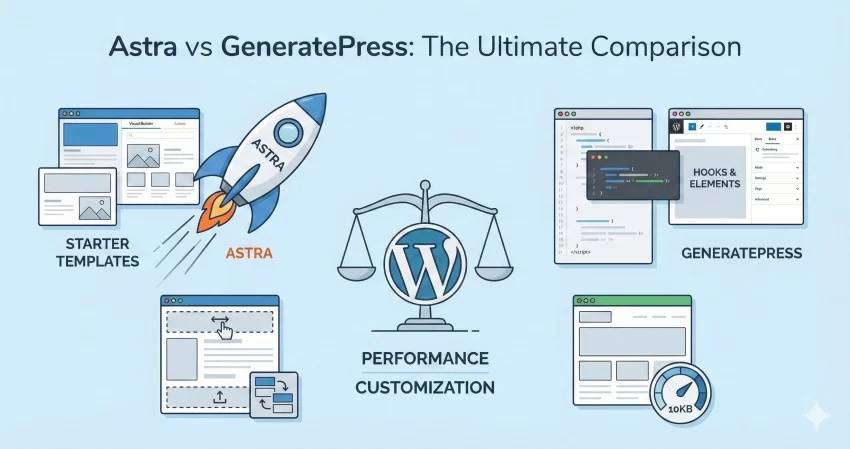
GeneratePress is arguably the king of lightweight themes. Tom Usborne, the lead developer, has maintained a strict philosophy: functionality should not come at the cost of performance. A fresh install of GeneratePress adds less than 10KB to your page size (gzipped).
Astra Performance
Astra is no slouch either. It is slightly heavier than GeneratePress due to its broader feature set loaded by default, but we are splitting hairs here. A default Astra install is roughly 50KB, which is still significantly lighter than almost any other theme on the market (which often average 300KB+).
Note: In real-world scenarios, Astra vs GeneratePress speed differences are negligible unless you are on very restrictive shared hosting. Both will easily score 90+ on Google PageSpeed Insights if optimized correctly.
2. Customization and Ease of Use
This is where the Astra vs GeneratePress comparison starts to show clear distinctions in target audience.
Astra: The Visual Builder’s Dream
Astra’s standout feature is its Header and Footer Builder. Even in the free version, you can visually drag and drop elements (like a logo, cart icon, or HTML block) into place. For users who prefer a “WYSIWYG” (What You See Is What You Get) experience, Astra wins hands down.
GeneratePress: The Developer’s Choice
GeneratePress takes a more utilitarian approach. It uses the native WordPress Customizer efficiently. While it lacks a drag-and-drop header builder in the traditional sense, its Elements module (in the Premium version) allows you to hook layouts anywhere.
For example, if you want to inject a custom banner after the header, GeneratePress makes it incredibly easy for developers.
You might also like:

3. Developer Features: Hooks and Filters
As a developer, you likely need to inject custom code without editing the parent theme. Both themes handle this well, but they use different methods.
The “Hooks” System
In the Astra vs GeneratePress battle, GeneratePress Premium offers a UI called “Elements” that lets you execute PHP or HTML hooks without touching functions.php. Astra has a similar feature called “Custom Layouts” (available in Astra Pro).
However, if you prefer coding directly in your child theme, here is how you might add a custom notification bar above the header in both themes.
Astra Code Example:
/**
 * Add a notification bar above the header in Astra
 */
function pnet_add_astra_top_bar() {
    ?>
    <div class="pnet-notification-bar">
        Welcome to our specialized WordPress development guide!
    </div>
    <?php
}
add_action( 'astra_header_before', 'pnet_add_astra_top_bar' );
GeneratePress Code Example:
/**
 * Add a notification bar above the header in GeneratePress
 */
function pnet_add_gp_top_bar() {
    ?>
    <div class="pnet-notification-bar">
        Welcome to our specialized WordPress development guide!
    </div>
    <?php
}
add_action( 'generate_before_header', 'pnet_add_gp_top_bar' );
As you can see, the logic is identical, but the hook names differ (astra_header_before vs generate_before_header).
4. Starter Templates and Design Library
If you need to build a site in an hour, Astra vs GeneratePress offers very different solutions.
- Astra: Offers the most extensive library in the market, with 240+ Starter Templates. These are complete websites (not just single pages) built with Elementor, Beaver Builder, or Gutenberg. They cover specific niches like “Pet Shop,” “Plumber,” or “Tech Blog.”
- GeneratePress: Focuses on quality over quantity. Their “Site Library” has fewer options (around 80+), but they are incredibly clean and rely heavily on the block editor (GenerateBlocks). They feel less “bloated” than some of Astra’s design-heavy templates.
5. Pricing Models
Pricing is often the tie-breaker in the Astra vs GeneratePress decision.
- Astra Pro: Typically costs $47 – $59 / year. They also offer a “Growth Bundle” that includes other plugins like Schema Pro and Ultimate Addons for Elementor.
- GeneratePress Premium: Typically costs $59 / year. One major advantage is that the license covers up to 500 websites, whereas Astra has different tiers.
Both themes offer a Lifetime Deal, which is a favorite among agencies. If you plan to use the theme for more than 3 years, the lifetime deal is mathematically the better investment.
6. Compatibility with Page Builders
A common question is: “How do Astra vs GeneratePress handle Elementor?”
Astra is widely considered the best theme for Elementor. It offers page-level controls that allow you to disable the title, sidebar, header, or footer with a single checkbox. This lets you create a blank canvas for Elementor to take over.
GeneratePress works fine with Elementor, but the developers are clearly steering users toward GenerateBlocks. This is a block-based builder that is much lighter than Elementor. If you are ready to ditch heavy page builders and embrace the future of Full Site Editing (FSE) and Blocks, GeneratePress + GenerateBlocks is a lethal combination.
Final Verdict: Which Should You Choose?
The Astra vs GeneratePress rivalry doesn’t have a single winner because they serve slightly different masters.
Choose Astra If:
- You love using Elementor or Beaver Builder.
- You need a drag-and-drop Header/Footer builder.
- You want access to 200+ pre-made starter sites to save design time.
- You are building a site for a client who needs an easy visual interface.
Choose GeneratePress If:
- You are a developer who prioritizes code quality and stability.
- You want the absolute fastest foundation (10KB footprint).
- You prefer using the Block Editor (Gutenberg) over page builders.
- You utilize hooks and filters extensively in your development workflow.
In my personal development workflow, I lean towards GeneratePress for complex, custom-coded projects, and Astra for quick turnover client sites that require flashy designs out of the box.
Whichever you choose in the Astra vs GeneratePress showdown, you are getting a top-tier product that will serve your SEO rankings well.
FAQs
1. Is Astra faster than GeneratePress? Technically, GeneratePress is slightly lighter (~10KB vs Astra’s ~50KB), but in a real-world Astra vs GeneratePress speed test, the difference is milliseconds. Both are exceptionally fast.
2. Which theme is better for WooCommerce? Astra has a slight edge for WooCommerce due to its extensive specialized customization options in the Pro version, such as a dropdown cart, product quick view, and off-canvas filtering sidebar.
3. Can I use the free versions? Yes, but you will be limited. The free version of the Astra vs GeneratePress comparison shows that Astra gives you a bit more free functionality (like the header builder), whereas GeneratePress Free is very bare-bones and requires the Premium plugin for most styling options.