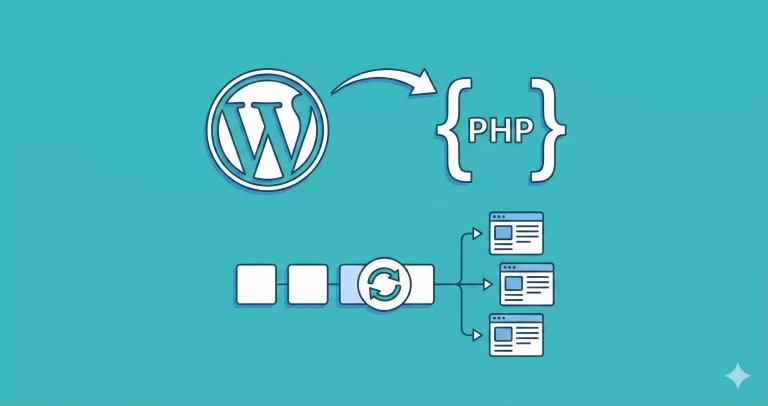
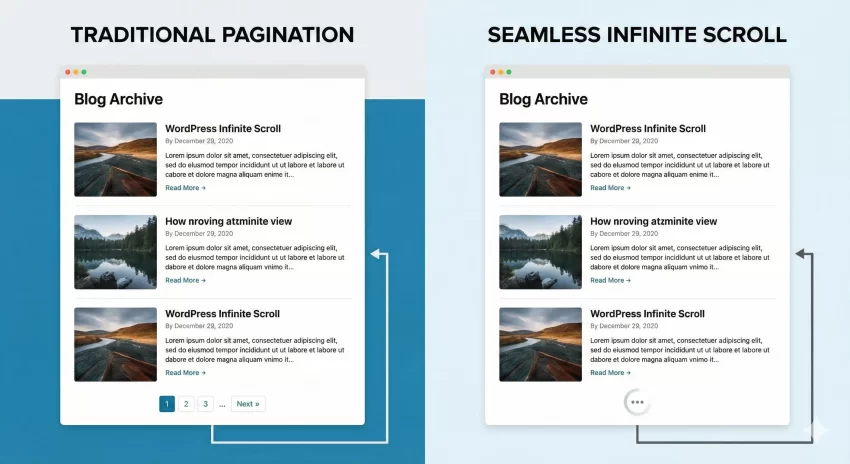
If you are looking to modernize your blog and keep users glued to your screen, abandoning clunky pagination is the first step. Pagination breaks the reading flow, forcing users to click and wait for a page reload just to see more content. The solution? Learning how to implement AJAX infinite scroll in WordPress.
Infinite scroll creates a seamless experience, similar to social media feeds like Instagram or Twitter. As the user reaches the bottom of the page, new posts load automatically without a refresh. In this comprehensive guide, we will walk you through building a custom solution to add AJAX infinite scroll in WordPress themes from scratch. Whether you are a beginner developer or a seasoned pro, this tutorial will help you boost your site’s engagement metrics effortlessly.
Why Choose AJAX Infinite Scroll over Pagination?
Before we dive into the code, let’s understand why implementing AJAX infinite scroll in WordPress is often superior to standard numeric pagination. The primary benefit is user retention. When you remove the friction of clicking “Next Page,” users naturally consume more content. This lowers bounce rates and increases the average time spent on your site.
However, it is not just about keeping eyes on the page; it is about performance. By using AJAX (Asynchronous JavaScript and XML), we only fetch the specific data we need (the next set of posts) rather than reloading the entire header, footer, and sidebar. This makes the browsing experience feel incredibly fast and responsive.
Prerequisites for This Tutorial
To follow this guide on adding AJAX infinite scroll in WordPress, you will need a basic understanding of HTML, CSS, and PHP. You should also have access to your theme files. We highly recommend using a child theme or a site specific plugin so that your changes are not lost when the parent theme updates.
We will be creating a function with the prefix pnet_ to ensure there are no conflicts with existing WordPress core functions or plugins. Let’s get your hands dirty with some code.
Step 1: Preparing the Archive Template
The first step to enable AJAX infinite scroll in WordPress is ensuring your HTML structure is ready to handle appended content. Most themes use archive.php or index.php to display posts. You need to wrap your post loop in a container that we can target with JavaScript.
Open your archive template file. Look for the loop that starts with while ( have_posts() ). Ensure your posts are wrapped in a main container ID, like #pnet-main-content.
<div id="pnet-main-content">
    <?php
    if ( have_posts() ) :
        while ( have_posts() ) : the_post();
            // Your template part for displaying posts
            get_template_part( 'template-parts/content', get_post_format() );
        endwhile;
    endif;
    ?>
</div>
<div id="pnet-load-more" style="display:none;">Loading more posts...</div>
This structure allows our JavaScript to append new HTML directly inside #pnet-main-content.
You might also like:
Step 2: The JavaScript Logic
This is where the magic happens. We need a script that detects when the user scrolls near the bottom of the page and triggers an AJAX request. To implement AJAX infinite scroll in WordPress effectively, we must also ensure we don’t trigger the event multiple times while content is still loading.
Create a new file named pnet-infinite-scroll.js in your theme’s js folder and add the following code:
jQuery(document).ready(function($) {
    var canBeLoaded = true; // Prevent multiple AJAX calls
    var bottomOffset = 2000; // Distance from bottom to trigger load
    var page = 2; // Start loading from page 2

    $(window).scroll(function() {
        var data = {
            'action': 'pnet_load_more',
            'page': page,
            'query': pnet_params.posts, // Passed from PHP
            'security': pnet_params.security // Nonce for security
        };

        if ($(document).scrollTop() > ($(document).height() - bottomOffset) && canBeLoaded == true) {

            // Show loading animation here if you have one
            $('#pnet-load-more').show();

            $.ajax({
                url: pnet_params.ajaxurl,
                data: data,
                type: 'POST',
                beforeSend: function(xhr) {
                    canBeLoaded = false;
                },
                success: function(data) {
                    if (data) {
                        $('#pnet-main-content').append(data); // Append new posts
                        canBeLoaded = true; // Allow next load
                        page++; // Increment page number
                        $('#pnet-load-more').hide();
                    } else {
                        // No more posts found
                        $('#pnet-load-more').html('No more posts to display.');
                        canBeLoaded = false;
                    }
                }
            });
        }
    });
});
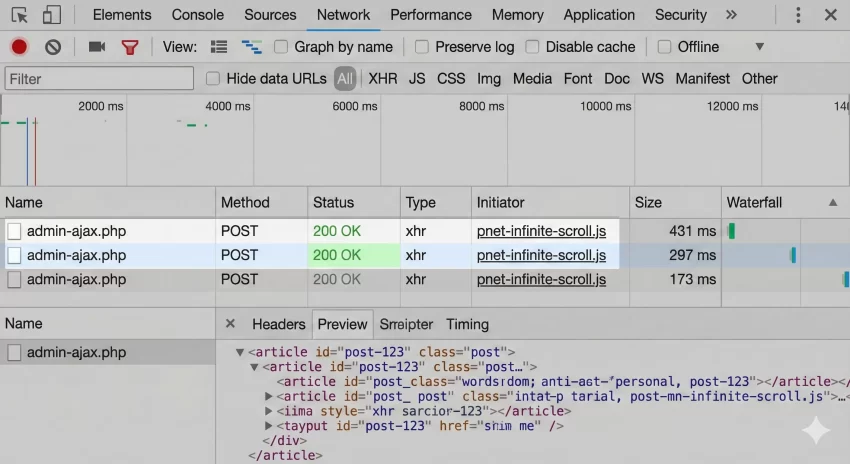
In the script above, we define a scroll event listener. When the user is 2000 pixels from the bottom, we fire the request. This “pre-loading” technique is key to a smooth AJAX infinite scroll in WordPress experience, as the user rarely sees the loading spinner.
Tip: Master WordPress Data Sanitization for Secure Code : Stop Vulnerabilities
Step 3: Enqueuing Scripts and Localizing Data
For the JavaScript above to work, it needs access to WordPress variables like the AJAX URL and the current query parameters. We use the wp_localize_script function to pass data from PHP to JavaScript securely.
Add the following code to your theme’s functions.php file:
function pnet_enqueue_infinite_scroll_script() {
    // Only load on archive pages or the blog home
    if ( is_home() || is_archive() ) {

        // Enqueue our JS file
        wp_enqueue_script(
            'pnet_infinite_scroll',
            get_stylesheet_directory_uri() . '/js/pnet-infinite-scroll.js',
            array('jquery'),
            '1.0',
            true
        );

        global $wp_query;

        // Pass data to JavaScript
        wp_localize_script( 'pnet_infinite_scroll', 'pnet_params', array(
            'ajaxurl' => admin_url( 'admin-ajax.php' ),
            'posts' => json_encode( $wp_query->query_vars ),
            'current_page' => get_query_var( 'paged' ) ? get_query_var('paged') : 1,
            'max_page' => $wp_query->max_num_pages,
            'security' => wp_create_nonce( 'pnet_load_more_nonce' )
        ));
    }
}
add_action( 'wp_enqueue_scripts', 'pnet_enqueue_infinite_scroll_script' );
This snippet is crucial. Without localized data, your JavaScript won’t know where to send the request or which posts to fetch next. This is a common stumbling block when people try to add AJAX infinite scroll in WordPress for the first time.
You might also like:

Step 4: The PHP AJAX Handler
Finally, we need the server-side logic to process the request. This function will query the database for the next page of posts and return the HTML markup.
Add this snippet to your functions.php file as well:
function pnet_ajax_load_more() {
    // Verify Nonce for security
    check_ajax_referer( 'pnet_load_more_nonce', 'security' );

    // Prepare arguments for the query
    $args = json_decode( stripslashes( $_POST['query'] ), true );
    $args['paged'] = $_POST['page'];
    $args['post_status'] = 'publish';

    $query = new WP_Query( $args );

    if ( $query->have_posts() ) :
        while ( $query->have_posts() ) : $query->the_post();

            // Make sure to match your theme's template part path
            get_template_part( 'template-parts/content', get_post_format() );

        endwhile;
    endif;

    wp_reset_postdata();
    die();
}

// Hook for logged-in users
add_action( 'wp_ajax_pnet_load_more', 'pnet_ajax_load_more' );
// Hook for non-logged-in users
add_action( 'wp_ajax_nopriv_pnet_load_more', 'pnet_ajax_load_more' );
Notice how we use get_template_part. This ensures the styling of the new posts exactly matches your existing theme design. This consistency is vital when implementing AJAX infinite scroll in WordPress to maintain a professional look.
Common Issues and Troubleshooting
Even with the best code, things can go wrong. Here are a few things to check if your AJAX infinite scroll in WordPress isn’t working immediately:
- Footer Accessibility: If your footer is very tall, the scroll event might not trigger. Adjust the
bottomOffsetvariable in the JavaScript file. - Plugin Conflicts: Caching plugins can sometimes interfere with AJAX localization. Try clearing your cache or excluding the script from minification.
- Permalinks: Sometimes simply re-saving your Permalinks structure in the WordPress dashboard can resolve 404 errors during AJAX calls.
Optimizing for SEO
A common concern when you implement AJAX infinite scroll in WordPress is SEO. Does Google see the content that isn’t loaded yet? To mitigate this, ensure your site still supports standard pagination as a fallback for bots, or use pushState in JavaScript to update the URL bar as the user scrolls. This signals to search engines that deep-scrolling content belongs to specific paginated URLs.
Conclusion
Adding AJAX infinite scroll in WordPress is a fantastic way to modernize your website and keep your readers engaged for longer periods. While it requires a bit of code wrangling, the result is a smooth, app-like experience that users love.
By following this guide, you have learned how to modify the loop, handle JavaScript scroll events, and process PHP requests securely. You now possess the tools to implement a robust infinite scroll system on any WordPress site you manage.
Have you tried implementing this on your blog? Let us know in the comments if you faced any challenges or if you found a unique way to extend this functionality!