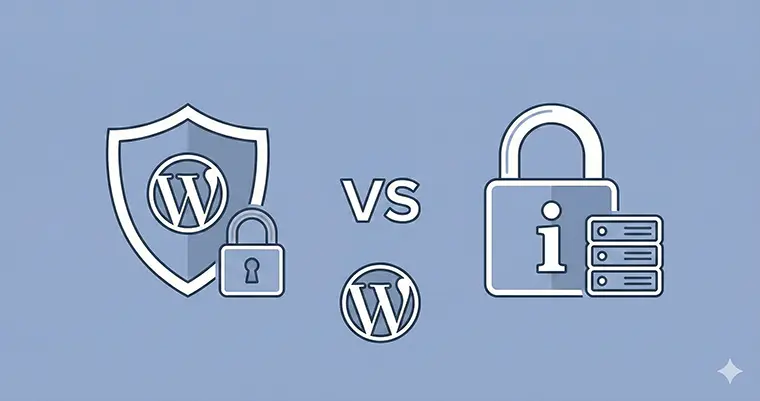
WordPress security is not just about “installing a plugin and forgetting it.” It is a constant battle between locking down your site and ensuring it loads fast enough for your visitors. If you are a developer or a site owner, you have likely narrowed your search down to the two heavyweights: Wordfence vs iThemes Security (now known as Solid Security).
Both plugins boast millions of downloads, but they take fundamentally different approaches to protecting your website. One acts as a fortress with a heavy guard at the gate; the other acts as a strict set of rules for your internal staff. The wrong choice could leave your site vulnerable to malware or, conversely, drag your server performance to a crawl.
In this guide, we will dissect the Wordfence vs iThemes Security debate, comparing their firewall capabilities, malware detection, and most importantly, their impact on your server resources.
The Core Difference: Endpoint Firewall vs. Hardening
To understand the Wordfence vs iThemes Security rivalry, you must first understand that they are not trying to do the exact same thing.
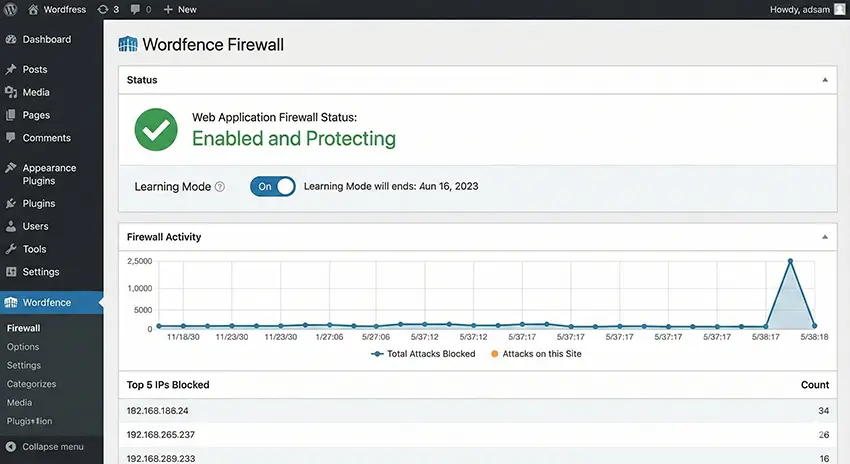
Wordfence is primarily an Endpoint Firewall and Malware Scanner. It sits on your server and inspects every single packet of traffic that hits your website. If a request looks malicious, Wordfence blocks it before it can execute PHP.
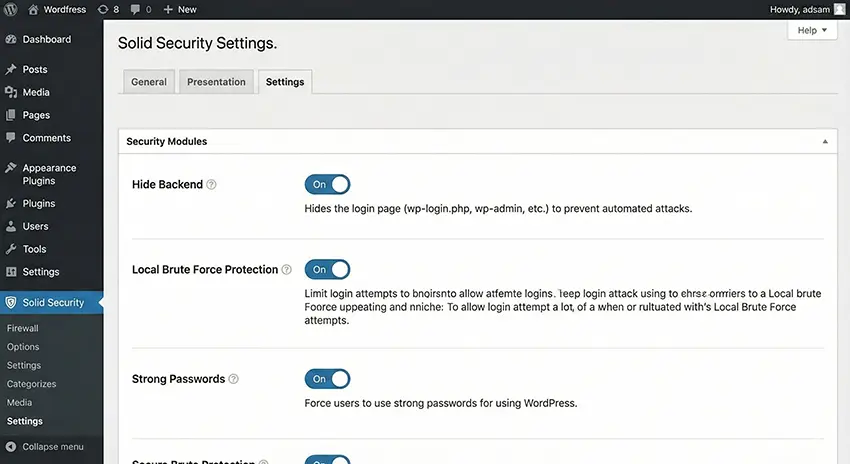
iThemes Security (Solid Security), on the other hand, is primarily a Hardening and Configuration Plugin. It focuses on “patching the holes” in WordPress by obscuring login URLs, enforcing strong passwords, and tweaking server configs to reduce the attack surface. It does not have a built-in firewall that inspects traffic packets in the same way Wordfence does.
Malware Detection: Deep Scan vs. Site Check
When comparing Wordfence vs iThemes Security, the malware scanner is often the deciding factor for developers.
Wordfence: The Deep Diver
Wordfence’s scanner is arguably its strongest feature. It crawls your server’s file system, comparing your core files, themes, and plugins against the official WordPress.org repository. If you have a backdoor hidden in a base64_decode string inside a seemingly innocent PHP file, Wordfence will likely find it.
iThemes Security: The Surface Scanner
iThemes Security relies on “SiteCheck,” which is a remote scanning method. It checks the public source code of your site. While this is good for detecting if you have already been hacked and are serving spam links to Google, it will rarely catch a dormant backdoor buried deep in your /wp-content/uploads/ folder.
Winner: For pure detection, Wordfence takes the crown in the Wordfence vs iThemes Security battle.
Server Overhead: The Silent Killer
This is where the debate gets heated. High security often comes at the cost of high resource usage.
The Wordfence Performance Hit
Because Wordfence scans traffic in real-time and runs scheduled file scans on your server, it is resource-intensive. On a shared hosting plan with limited CPU, a Wordfence scan can sometimes cause a “503 Service Unavailable” error.
However, developers can optimize this. If you are running a custom environment, you might want to programmatically manage how much memory the scanner uses or disable the “Live Traffic” view, which writes heavily to the database.
iThemes Security Performance
iThemes Security is significantly lighter. Since it focuses on blocking bad behavior (like too many 404s or failed logins) rather than inspecting traffic packets, it consumes far less CPU. If your server is struggling, iThemes is the gentler option.
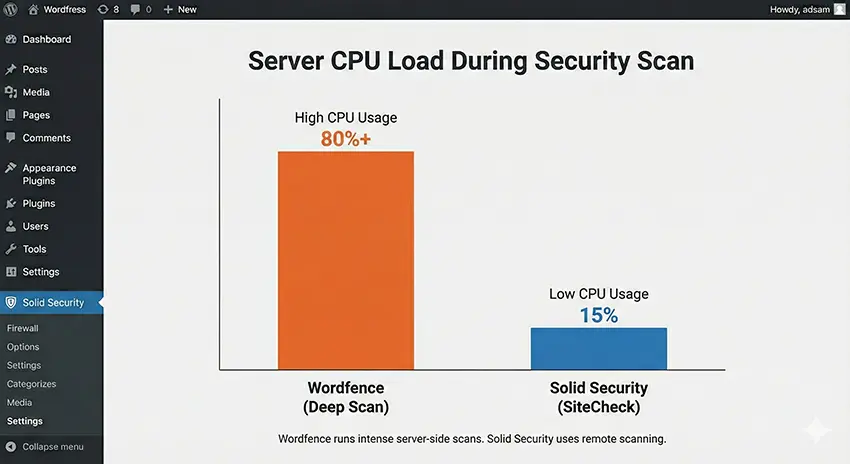
Winner: In the Wordfence vs iThemes Security performance test, iThemes Security is much friendlier to your server resources.
Developer Control: Customizing Security
As a developer, you might want to implement your own security logic alongside these plugins. Sometimes, plugins are too bloated for simple tasks. For example, if you want to simply disable the XML-RPC functionality (a common attack vector) without installing a heavy plugin, you can do it via code.
Here is how you might implement a custom “hardening” feature in your functions.php file, using a custom prefix to avoid conflicts.
<?php
/**
 * PNET Custom Security Hardening
 * Disables XML-RPC to prevent DDoS and Brute Force attacks.
 */

// Prefixing function with pnet_ as per coding standards
function pnet_disable_xmlrpc_functionality() {
    // Disable XML-RPC for all requests
    add_filter( 'xmlrpc_enabled', '__return_false' );

    // Remove the X-Pingback HTTP header
    add_filter( 'wp_headers', 'pnet_remove_x_pingback_header' );
}
add_action( 'init', 'pnet_disable_xmlrpc_functionality' );

/**
 * Remove X-Pingback header to hide the XML-RPC interface availability.
 *
 * @param array $headers The existing HTTP headers.
 * @return array Modified headers.
 */
function pnet_remove_x_pingback_header( $headers ) {
    if ( isset( $headers['X-Pingback'] ) ) {
        unset( $headers['X-Pingback'] );
    }
    return $headers;
}
?>
By using snippets like the pnet_disable_xmlrpc_functionality above, you can reduce the reliance on plugin settings for basic tasks, keeping your “Active Plugins” count low.
The Verdict: Which One Should You Choose?
The decision in Wordfence vs iThemes Security ultimately comes down to your hosting environment and your specific needs.
Choose Wordfence if:
- You are on a VPS or dedicated server with spare resources.
- You need a “set it and forget it” firewall that blocks SQL injection and XSS attacks out of the box.
- You need a file-level scanner to ensure no files have been modified.
Choose iThemes Security (Solid Security) if:
- You are on budget shared hosting and cannot afford the CPU spikes of a scanner.
- You prefer “hardening” strategies (hiding login pages, banning 404 repeaters).
- You already use a server-level firewall (like Cloudflare or a host-provided WAF).
Advanced Configuration: Reducing Database Bloat
One of the biggest complaints in the Wordfence vs iThemes Security discussion is database bloat. Wordfence logs can grow into gigabytes if left unchecked.
If you choose Wordfence, you must configure the “Rate Limiting” and “Traffic Logging” strictly. If you choose iThemes, you might want to programmatically ensure that its logs are cleared frequently.
Below is an example of a custom cron job you could setup to ensure your custom security logs (if you were building your own logging solution alongside these plugins) don’t get out of hand.
<?php
/**
 * PNET Log Cleaner
 * Automatically cleans custom security logs older than 30 days.
 */

if ( ! wp_next_scheduled( 'pnet_daily_log_cleanup_event' ) ) {
    wp_schedule_event( time(), 'daily', 'pnet_daily_log_cleanup_event' );
}

add_action( 'pnet_daily_log_cleanup_event', 'pnet_clean_old_security_logs' );

function pnet_clean_old_security_logs() {
    global $wpdb;

    // Define the table name for custom logs
    $table_name = $wpdb->prefix . 'pnet_security_logs';

    // Check if table exists before running query
    if ( $wpdb->get_var( "SHOW TABLES LIKE '$table_name'" ) != $table_name ) {
        return;
    }

    // Delete logs older than 30 days
    $wpdb->query(
        $wpdb->prepare(
            "DELETE FROM $table_name WHERE log_date < %s",
            date( 'Y-m-d H:i:s', strtotime( '-30 days' ) )
        )
    );
}
?>
Conclusion
In the battle of Wordfence vs iThemes Security, there is no single “best” plugin – only the best plugin for your specific setup.
If you demand the highest level of active protection and your server can handle the load, Wordfence is the superior security guard. However, if you need a lightweight approach that focuses on locking doors rather than posting guards, iThemes Security (Solid Security) is the efficient choice.
Regardless of your choice, remember that no plugin can replace good server management. Keep your PHP version updated, use strong passwords, and consider implementing custom hardening snippets like the functions provided above to keep your WordPress site secure and fast.
Which side of the Wordfence vs iThemes Security debate are you on? Let us know in the comments below! If you are still not sure and need a professional to harden your site, checkout our WordPress development service.