If you run an online store, chances are you’ve needed to add an extra fee during checkout — maybe for Cash on Delivery, packaging, shipping locations, or additional services. That’s where WooCommerce Conditional Fees come in. This powerful feature allows you to apply fees dynamically based on custom rules, making your checkout process smarter and more flexible. In this guide, you’ll learn exactly how to add conditional fees using simple PHP snippets you can paste into your theme or via a code snippet plugin.
Why Add Conditional Fees in WooCommerce?
Custom fees allow you to adjust pricing automatically based on:
- Payment method
- Shipping method
- Cart total
- User roles
- Specific products or categories
- Delivery locations
- Custom business logic
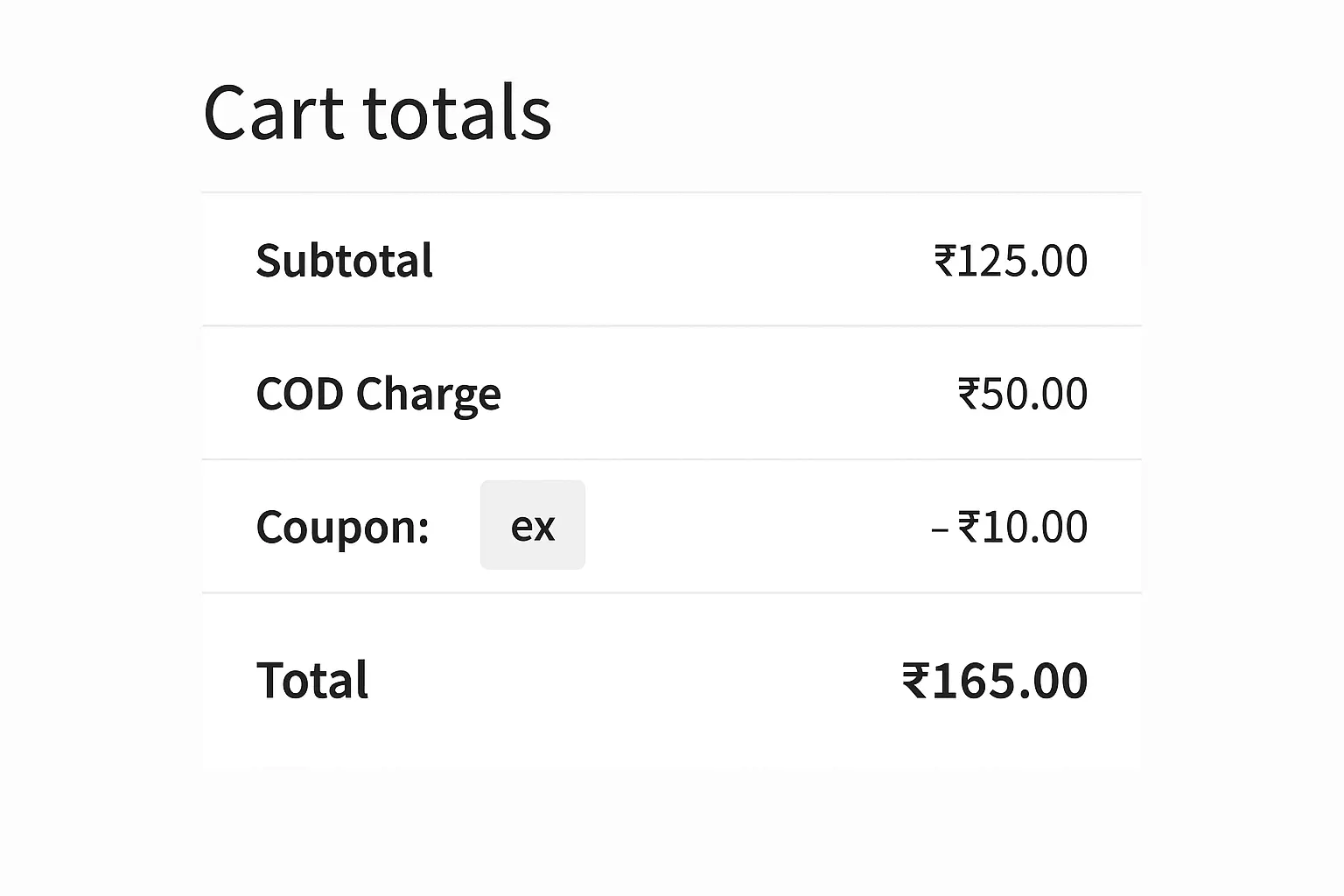
By implementing WooCommerce Conditional Fees, you can add more transparency to your checkout costs, recover packaging or COD charges, and improve overall profitability without affecting your product prices.
How WooCommerce Handles Extra Fees
WooCommerce provides a built-in action called woocommerce_cart_calculate_fees which allows developers to add, remove, or modify fees on the fly. Using this hook, we can easily implement WooCommerce Conditional Fees based on almost any condition.
Making Your Conditional Fees Taxable (or Tax-Free)
By default, when you add extra fees programmatically, WooCommerce treats them as non-taxable unless you explicitly tell it otherwise. If your local tax rules require you to charge tax on things like handling, packaging, or COD fees, you’ll want to make your WooCommerce Conditional Fees taxable.
The WC_Cart::add_fee() function accepts two additional parameters:
WC()->cart->add_fee( $name, $amount, $taxable = false, $tax_class = '' );
$taxable– set this to true to make the fee taxable.$tax_class– set this to a tax class slug, such as:standardreduced-ratezero-rateany-custom-class- or leave it empty to use the customer’s default tax settings.
Let’s dive into practical examples.
1. Add Extra Fee for Cash on Delivery (COD)
This is one of the most common use cases.
Example: Add ₹50 COD Charge
add_action('woocommerce_cart_calculate_fees', 'add_cod_fee_conditionally');
function add_cod_fee_conditionally() {
    if ( is_admin() && ! defined('DOING_AJAX') ) {
        return;
    }

    // Check selected payment method
    $payment_method = WC()->session->get('chosen_payment_method');

    if ( $payment_method === 'cod' ) {
        //Set fees, use either one
        //Tax Free
        WC()->cart->add_fee('Cash on Delivery Fee', 50);
        //Taxable, calculated using 'standard' class
        WC()->cart->add_fee('Cash on Delivery Fee', 50, true, 'standard');
    }
}
This snippet applies a flat COD fee whenever the customer selects Cash on Delivery.
2. Add Conditional Fee Based on Cart Total
Perfect when you want to charge a small order handling fee.
Example: Add ₹30 When Cart Total Is Below ₹500
add_action('woocommerce_cart_calculate_fees', 'small_order_fee');
function small_order_fee() {
    if ( WC()->cart->subtotal < 500 ) {
        //Set fees, use either one
		// Tax Free
        WC()->cart->add_fee('Small Order Handling Fee', 30);
		//Taxable, calculated using 'reduced-rate' class
        WC()->cart->add_fee('Small Order Handling Fee', 30, true, 'reduced-rate');
    }
}
This ensures your store maintains profit margins on low-value orders.
3. Add Fee Only for Specific Products or Categories
Perfect when you want to cover special packaging costs
Example: Add a ₹30 Packaging Fee if Cart Contains Products from Category “Fragile”
add_action('woocommerce_cart_calculate_fees', 'fragile_product_fee');
function fragile_product_fee() {

    $found = false;

    foreach ( WC()->cart->get_cart() as $item ) {
        if ( has_term('fragile', 'product_cat', $item['product_id']) ) {
            $found = true;
            break;
        }
    }

    if ( $found ) {
	//Set fees, use either one
	// Tax Free
        WC()->cart->add_fee('Fragile Packaging Fee', 80);
	//Taxable, calculated using 'custom' class
        WC()->cart->add_fee('Fragile Packaging Fee', 80, true, 'custom-tax-class');
    }
}
This adds a protective packaging fee only when needed.
4. Apply Conditional Fees Based on User Role
Great for wholesale stores or membership sites.
Example: Add ₹20 Handling Fee for Guest Users Only
add_action('woocommerce_cart_calculate_fees', 'guest_user_fee');
function guest_user_fee() {
    if ( ! is_user_logged_in() ) {
        //Set fees, use either one
        // Tax Free
        WC()->cart->add_fee('Guest Checkout Fee', 20);
        //Taxable, calculated using 'standard' class
        WC()->cart->add_fee('Guest Checkout Fee', 20, true, 'standard');
    }
}
This adds a protective packaging fee only when needed.
5. Conditional Fees Based on Shipping Method
Great for covering extra fees on costly shipping methods.
Example: Charge Extra ₹40 for Express Delivery
add_action( 'woocommerce_cart_calculate_fees', 'express_shipping_fee' );
function express_shipping_fee() {
    $chosen_shipping = WC()->session->get( 'chosen_shipping_methods' );

    if ( isset( $chosen_shipping[0] ) && $chosen_shipping[0] === 'flat_rate:3' ) {
        WC()->cart->add_fee('Express Delivery Surcharge', 40);
    }
}
Just replace the shipping method ID with your own.
Best Practices for WooCommerce Conditional Fees
To ensure your site runs smoothly when implementing WooCommerce Conditional Fees, follow these recommendations:
- Always use a child theme: Directly editing theme files can cause issues after updates.
- Prefer a site-dedicated plugin: It ensures your code survives theme changes and organizes your snippets better.
- Provide clarity to customers: Name your fees clearly (e.g., “COD Fee”, “Special Packaging Charge”).
- Test fees across different checkout flows: Ensure compatibility with payment gateways, coupons, and shipping plugins.
- Avoid overcharging: Use conditional fees moderately so users don’t abandon the cart.
Final Thoughts
Adding WooCommerce Conditional Fees gives you unmatched flexibility in handling checkout charges. Whether you want to introduce COD fees, special packaging costs, small-order surcharges, or user-role-based pricing, WooCommerce makes it simple with a few lines of code. The examples above are beginner-friendly and safe to use on any store. Just paste them into your site using a child theme or snippet plugin, and your custom checkout logic will work instantly.
By customizing your fees based on conditions, you improve profitability while keeping customers informed and confident about the final price. Try implementing these conditional fees in your WooCommerce store, and you’ll immediately notice the improvement in checkout flexibility and business efficiency.