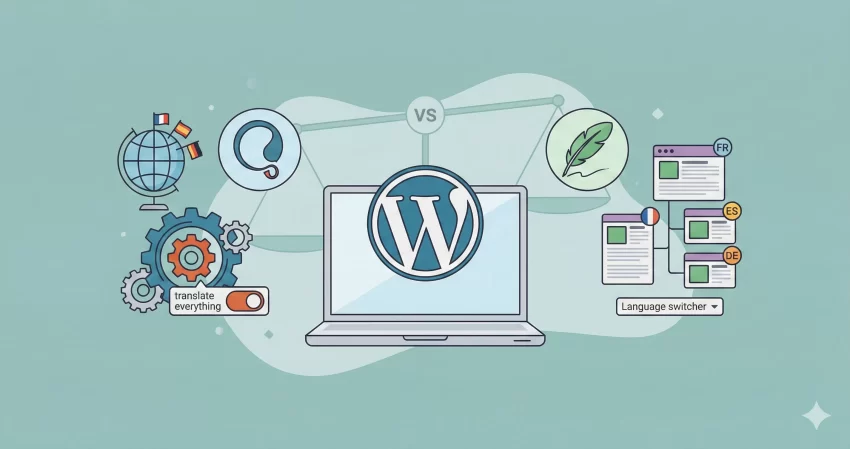
Building a global WordPress site starts with one critical decision: choosing the right translation plugin. If you have been researching options, you have likely narrowed it down to the two heavyweights: WPML vs Polylang. Both are powerful, widely supported, and capable of transforming a single-language blog into a global platform, but they approach the problem in very different ways.
In this guide, we will dive deep into the differences between WPML and Polylang. Whether you are a developer looking for code flexibility or a business owner needing a seamless WooCommerce translation, this comparison will help you decide which plugin offers the best value for your specific needs in 2025.
WPML vs Polylang : At a Glance
WPML (WordPress Multilingual Plugin): WPML is often considered the industry standard for premium multilingual sites. It is a feature-rich, “batteries included” solution that handles everything from string translation to currency conversion. It does not have a free version, but its robust support and “Translate Everything” automatic translation mode make it a favorite for agencies and complex e-commerce stores.
Polylang: Polylang takes a lighter, more WordPress-native approach. With a popular free version available on the repository, it integrates seamlessly into the WordPress interface by treating languages almost like categories. It is known for being lightweight and fast, making it a top choice for performance-focused developers and simple blogs.
Feature Comparison
1. Ease of Use and Setup
WPML offers a comprehensive setup wizard that guides you through every step: choosing languages, adding a language switcher, and configuring URL structures. It can feel overwhelming due to the sheer number of options, but the wizard ensures you don’t miss critical settings.
Polylang is simpler but less guided. You install it, add languages, and then manually assign existing content to those languages. It feels very familiar to native WordPress users, but beginners might get lost trying to figure out how to translate menus or widgets without a step-by-step guide.
2. Translation Management
This is where the WPML vs Polylang debate heats up.
- WPML: Uses a specialized “Advanced Translation Editor” that allows you to translate content side-by-side without opening the standard WordPress editor. It also supports automatic machine translation (DeepL, Google, Microsoft) with a credit system.
- Polylang: Connects separate posts for each language. To translate a page, you essentially create a new page in the target language and link them. While Polylang Pro offers integration with DeepL, the free version requires you to manually type or paste translations into the standard WordPress editor.
You might also like:
Performance and Speed
Performance is a major factor for modern SEO. Generally, Polylang is considered the lighter plugin. It uses a custom taxonomy system to manage languages, which is efficient and adds minimal overhead to your database.
WPML has historically been criticized for database bloat, as it stores translation connections in custom tables. However, recent updates in version 4.x have significantly optimized query performance. For most sites on decent hosting, the difference is negligible, but for high-traffic sites on shared hosting, Polylang often edges out WPML in raw speed.
WooCommerce Support
If you are running an online store, the cost and complexity differ significantly.
- WPML: The “Multilingual CMS” plan (approx. €99/year) includes full WooCommerce support. It handles product variations, attributes, and even multi-currency checkout out of the box.
- Polylang: The free version does not support WooCommerce efficiently. You need the specific “Polylang for WooCommerce” addon or the “Business Pack.” This combination often costs more (approx. €139/year) than the WPML equivalent.
Verdict: If you are building a store, WPML offers better value and a more integrated experience.
WPML vs Polylang Pricing Comparison
Developer Corner: Programmatic Language Detection
For developers creating custom themes or functionality, you often need to detect the current language programmatically. Both plugins handle this differently, but we can write a wrapper function to make your code compatible with both.
Here is a robust PHP snippet you can use in your functions.php file. It uses the prefix pnet_ to ensure no conflicts with other plugins.
/**
 * Retrieve the current language code safely.
 * Supports both WPML and Polylang.
 * * @return string The 2-letter language code (e.g., 'en', 'es') or 'en' as default.
 */
function pnet_get_current_language() {
    $current_lang = 'en'; // Default fallback

    // Check if WPML is active
    if ( defined( 'ICL_LANGUAGE_CODE' ) ) {
        $current_lang = ICL_LANGUAGE_CODE;
    }
    // Check if Polylang is active
    elseif ( function_exists( 'pll_current_language' ) ) {
        $current_lang = pll_current_language();
    }

    return $current_lang;
}

/**
 * Example Usage:
 * Display a welcome message based on language.
 */
function pnet_display_welcome_message() {
    $lang = pnet_get_current_language();

    if ( 'es' === $lang ) {
        echo '<p class="welcome-msg">¡Bienvenido a nuestro sitio web!</p>';
    } else {
        echo '<p class="welcome-msg">Welcome to our website!</p>';
    }
}
You might also like:
Pros and Cons
WPML
Pros
- Highly compatible with page builders (Elementor, Divi)
- Excellent WooCommerce support
- Built-in string translation
- 24/7 support.
Cons
- No free version
- Slightly heavier on the database
- Complex UI for beginners
Polylang
Pros
- Lightweight and fast
- Excellent free version for blogs
- Easy to use for WordPress natives
- Cleaner database footprint.
Cons
- WooCommerce support is expensive
- String translation can be tricky in the free version
- No setup wizard in the free tier.
Conclusion: Which One Should You Choose?
The winner of the WPML vs Polylang battle depends entirely on your project requirements:
Choose WPML if: You are building a complex WooCommerce store, using a heavy page builder, or need a “set it and forget it” solution for automatic translation. The higher initial cost covers a suite of tools that saves hours of development time.
Choose Polylang if: You are running a content-focused blog, care deeply about site speed, or want a free solution to get started. It is the developer’s choice for clean, lightweight implementations.
Ultimately, both plugins are excellent. If you are just starting out, try the free version of Polylang. If you hit a wall with features or e-commerce needs, upgrading to WPML is a safe bet for scaling up. Which translation plugin from this WPML vs Polylang do you personally favor? Do let me know if the comments below.