In the world of web development, every kilobyte counts. Whether you are a seasoned WordPress developer or just starting your coding journey, maintaining clean and efficient stylesheets is crucial for site performance. That is exactly where a reliable CSS Minifier comes into play. Our free online tool is designed to handle all your CSS formatting needs, from compressing code for production to making it readable for debugging.
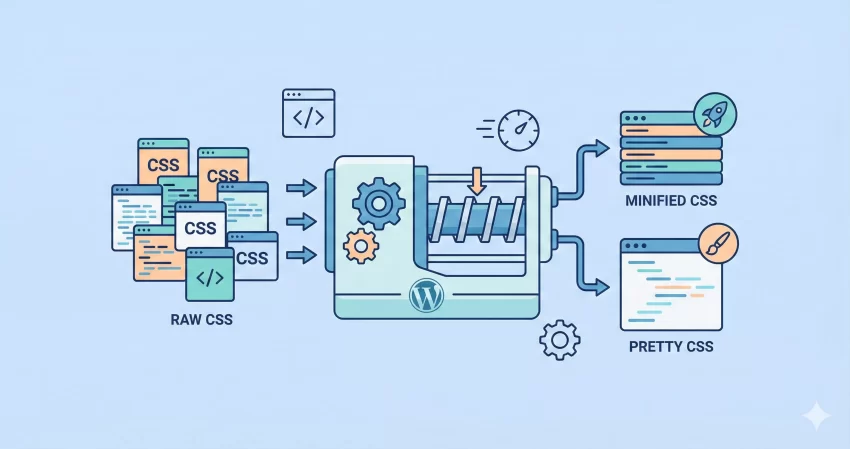
Most developers know the struggle of managing thousands of lines of code. It gets messy, and a single syntax error can break a layout. Our CSS Minifier and Beautifier solves this by offering a dual-purpose solution: it shrinks your code to make your website load faster, and it “unminifies” or beautifies messy code so you can actually read and edit it.
What is a CSS Minifier and Why Do You Need It?
A CSS Minifier is a tool that removes unnecessary characters from your Cascading Style Sheets (CSS) code without changing its functionality. These unnecessary characters include whitespaces, newlines, comments, and block delimiters. While these elements are helpful for humans to read the code, web browsers do not need them to render your page.
By using a CSS Minifier, you can significantly reduce your file sizes—often by 20% to 40%. This reduction leads to faster bandwidth transmission and quicker page load times, which are direct ranking factors for SEO. If you are serious about Core Web Vitals, minifying your assets is a non-negotiable step in your deployment pipeline.
Features of This Tool
We built this tool to be the last CSS Minifier you will ever need. Here is what makes it stand out:
- Instant Minification: aggressive removal of whitespace and comments to create the smallest possible file size.
- Code Beautification: Take compressed, unreadable code and expand it into a perfectly indented, readable format (Pretty Print).
- Syntax Error Detection: The tool automatically scans your code for syntax errors and highlights line numbers where issues occur, saving you hours of debugging.
- Syntax Highlighting: The output features full color-coded syntax highlighting, making it easy to spot selectors, properties, and values.
- One-Click Copy: Grab your optimized code instantly with a single click.
Tip: Check out our Free WebP Converter. Convert your heavy JPG, PNG and GIF images to lightweight WebP format.
How to Use Our Online CSS Minifier
Using this tool is straightforward. We designed the interface to be intuitive so you can focus on your code rather than figuring out how the tool works. Follow these simple steps to use the CSS Minifier:
To Minify CSS:
- Paste your raw, uncompressed CSS code into the “Input CSS” box.
- Click the Minify button.
- The tool will strip out all comments, spaces, and line breaks.
- The optimized code will appear in the “Result” box with syntax highlighting. Click “Copy” and paste it into your live stylesheet.
To Beautify (Unminify) CSS:
- Paste the compressed/minified CSS string into the input area.
- Click the Beautify button.
- The tool will reformat the code with proper indentation (4 spaces) and line breaks.
- Review the readable code in the output area to make your edits.
Privacy and Security: Is My Code Safe?
This is a common concern when using online developer tools. Many converters send your data to a remote server to be processed, which creates a potential security risk for proprietary code. However, our CSS Minifier is different.
We have built this tool using JavaScript to run entirely client-side. This means the minification and beautification process happens right here in your web browser. Your code is never sent to our server or stored in any database. Whether you are working on a private client project or a proprietary plugin, you can use this CSS Minifier with complete peace of mind knowing your intellectual property remains on your device.
Why Minification Matters for WordPress Users
If you are a WordPress user, you might rely on plugins to handle minification. While caching plugins are great, they often minify files “on the fly,” which consumes server CPU resources. By manually using a CSS Minifier before you upload your CSS files to your theme or plugin folder, you reduce the load on your server.
For example, instead of uploading a standard style.css, you can maintain a readable version for development and upload a style.min.css processed by our CSS Minifier for the live site. This is a best practice followed by top plugin developers and theme shops worldwide.
Example of Minification
Here is a visual example of what the CSS Minifier does to your code.
Before (Input):
body {
    background-color: #ffffff;
    font-size: 16px;
    color: #333333; /* Main text color */
}

h1 {
    margin-bottom: 20px;
}
After (Output):
body{background-color:#fff;font-size:16px;color:#333}h1{margin-bottom:20px}
As you can see, the CSS Minifier removed the comments, collapsed the hex codes where possible, and stripped the whitespace, making the file much lighter.
Frequently Asked Questions (FAQs)
Does this CSS Minifier validate my code?
Yes! We have integrated a linter that checks your code before processing. If you have a missing bracket or an invalid property, the tool will alert you with the specific line number. This prevents you from minifying broken code.
Can I use this for JavaScript or HTML?
This specific tool is a dedicated CSS Minifier. While the logic is similar, JS and HTML require different parsing engines. Please check our other tools section for JavaScript minification.
Will minifying break my CSS?
In 99% of cases, no. However, if your original CSS relies on incorrect syntax that the browser was previously ignoring (like missing semicolons), minification might expose those errors. Always use the “Beautify” function to check for syntax errors if the minified version behaves unexpectedly.
Is there a limit to the file size?
Since this CSS Minifier runs in your browser, the limit depends on your computer’s memory. You can easily process files with tens of thousands of lines of code without any lag.
Conclusion
Optimizing your website doesn’t have to be complicated. With our free CSS Minifier, you can ensure your stylesheets are as lightweight as possible, improving your SEO rankings and user experience. Bookmark this page and make it a part of your daily development workflow. If you encounter any bugs or have feature suggestions, feel free to reach out to us via the contact page.