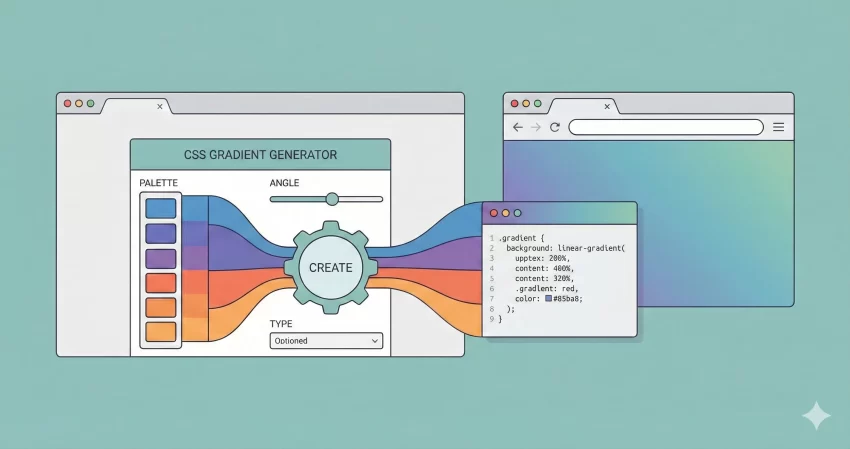
The Ultimate Free CSS Gradient Generator Tool
Designing modern websites often requires more than just flat colors. It requires depth, dimension, and style. That is where a CSS Gradient Generator becomes an essential utility for web designers and developers.
Writing complex gradient code by hand is tedious. Memorizing the CSS Gradient syntax for linear versus radial gradients, calculating color stops, and converting Hex codes to RGBA for transparency can slow down your workflow. We built this CSS Gradient Generator to solve that exact problem. whether you are building a landing page using Bootstrap or a custom WordPress theme, this tool allows you to visually design your backgrounds and get production-ready code in milliseconds.
Why Use a CSS Gradient Generator?
In the early days of the web, gradients were heavy image files that slowed down page load speeds. Today, CSS3 allows us to create scalable, resolution-independent gradients directly in the browser. However, the syntax can be tricky.
Our CSS Gradient Generator simplifies the process by providing a visual interface (GUI). You don’t need to guess how a 45-degree angle looks or struggle with transparency values. You simply adjust the sliders, pick your colors, and let the tool handle the math.
Key Features of This Tool
We designed this tool to be lightweight and fast. Here is why this CSS Gradient Generator stands out:
- Multi-Layer Support: Unlike basic tools, we allow you to stack multiple gradients on top of each other. This is perfect for creating complex, textured backgrounds.
- Live Preview: See your changes instantly in the preview box on the right.
- Instant Presets: Stuck for inspiration? Click one of our quick-load buttons (like Ocean, Sunset, or Midnight) to get a professional look instantly.
- Opacity Control: Our tool automatically converts your Hex colors to RGBA, allowing you to fine-tune transparency levels for subtle overlays.
- Clean Code: We generate properly formatted, commented CSS code that you can copy and paste directly into your stylesheet.
How to Use the CSS Gradient Generator
Getting the perfect background is easy. Follow these simple steps to master our CSS Gradient Generator:
- Select Your Type: Choose between Linear (straight lines) or Radial (circular) gradients.
- Set the Direction: For linear gradients, input the angle (e.g., 90deg or to bottom right). For radial gradients, you can define the position (e.g., circle at center).
- Pick Your Colors: Click the color picker to choose your start and end colors. You can also adjust the “Stop” positions (0% to 100%) to control where the colors blend.
- Adjust Opacity: Use the opacity number field (0-100) to create transparent effects. This is crucial if you are layering gradients over images.
- Add Layers (Optional): Click “Add New Layer” to stack another gradient on top. This is how pro designers create “mesh” gradients.
- Copy the Code: Once you are happy with the preview, look at the black code box at the bottom. Click “Copy to Clipboard” and paste the code into your CSS file or WordPress Customizer.
Design Tips for Better Gradients
While a CSS Gradient Generator gives you the tools, your design eye provides the magic. Here are a few tips for creating modern, professional backgrounds:
- Keep it Subtle: The best gradients often use two shades of the same color (e.g., Light Blue to Dark Blue) rather than two clashing colors.
- Use Angles: A standard top-to-bottom gradient can look dated. Try setting your angle to 135deg or 45deg for a more dynamic look.
- Leverage Transparency: Don’t be afraid to lower the opacity. A faint gradient overlaid on a solid color adds depth without overwhelming the text.
Privacy and Performance
We know that speed and security matter. Many online tools process data on their servers, which can be slow and raise privacy concerns.
Our CSS Gradient Generator is built entirely with JavaScript and runs 100% on the “Client Side.” This means:
- Zero Latency: The tool runs instantly in your browser. No server calls are made when you change a color.
- Privacy First: We do not store, save, or track the color combinations you create. Your design data never leaves your device.
- Server Load: Because it is client-side, it doesn’t slow down our website or yours.
Frequently Asked Questions (FAQs)
Q: Is the code generated by this CSS Gradient Generator compatible with all browsers?
A: Yes! The standard CSS3 gradient syntax is supported by all modern browsers, including Chrome, Firefox, Safari, and Edge.
Q: Can I use these gradients in WordPress?
A: Absolutely. You can paste the generated code into your theme’s style.css file, the Additional CSS section of the Customizer, or directly into page builder elements (like Elementor or Divi).
Q: What is the difference between Linear and Radial gradients?
A: A Linear gradient transitions colors along a straight line (up, down, or diagonal). A Radial gradient radiates outwards from a specific point (usually the center), creating a circular glow effect. Our CSS Gradient Generator supports both.
Q: How do I make a background image with a gradient overlay?
A: That is a great design technique! In your CSS, you would list the gradient first, followed by the image URL. For example: background-image: linear-gradient(...), url('image.jpg');. Our tool helps you generate the gradient part of that equation.
Other Tools
We offer various free tools to make life easier for Web Developers. Take a look at all our Tools.
Conclusion
Whether you are a seasoned developer or a beginner tweaking your first blog, having a reliable CSS Gradient Generator in your toolkit is a game changer. It saves time, ensures syntax accuracy, and helps you visualize ideas instantly.
Ready to design? Scroll up to the tool, pick a preset, and start creating beautiful web backgrounds today.