Introduction: HEX to RGB color converter and Color Picker
If you are a web designer or developer, you know the struggle. You find the perfect shade of blue in HEX format, but your CSS requires an RGBA value because you need 50% opacity. Or perhaps you are sending a design to print and need a quick CMYK reference. Switching between different tools to get these values is a productivity killer.
That is exactly why I built this HEX to RGB color converter.
Check my HEX to RGB Color Converter
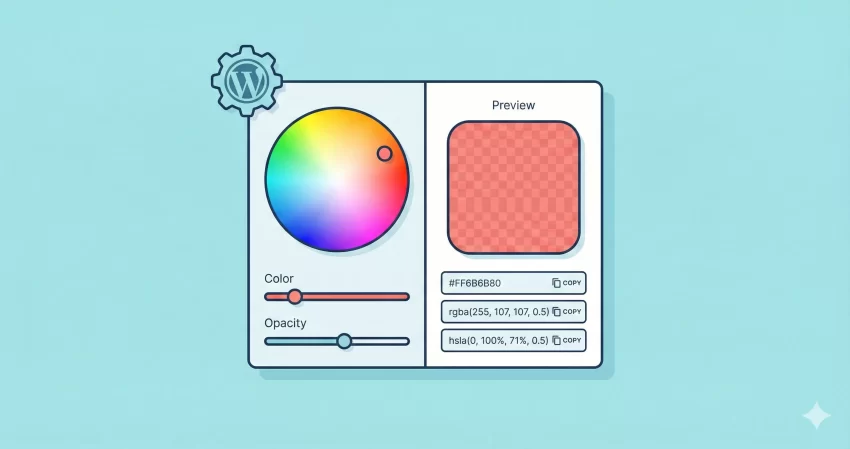
Color is the backbone of the web. But the web speaks many languages. While HEX is the standard for quick coding, modern web design increasingly relies on RGB and HSL for their flexibility, especially when transparency (alpha channels) gets involved. This tool isn’t just a static lookup table; it is a dynamic, client-side HEX to RGB color converter that calculates values instantly as you adjust the sliders.
Why Use This HEX to RGB Color Converter?
Most color tools online are stuck in the past. They give you a solid color conversion and call it a day. But the modern web is transparent—literally.
When you use CSS variables or modern design systems, you often need to switch between solid colors and colors with an “alpha” value (transparency). Standard converters fail here. They force you to manually calculate the alpha percentage or guess the decimal value.
My HEX to RGB color converter solves this by integrating an Opacity Slider.
- For Developers: Instantly generate rgba() and hsla() codes without doing mental math to convert 50% opacity to 0.5.
- For Designers: Get the 8-digit HEX code (HEX8) automatically when you drag the opacity slider below 100%.
- For Print: Get a quick CMYK estimation to see how your screen color might look on paper.
How to Use the Tool
Using this HEX to RGB color converter is designed to be as fast as possible. You don’t need to reload the page or click a “submit” button. Everything happens live.
Step 1: Pick Your Base Color
On the left-hand side (or top on mobile), you will see the Base Color input. Click the color swatch to open your browser’s native color picker. You can select a color visually or paste a HEX code if you already have one.
Step 2: Adjust the Opacity
This is where the magic happens. Use the Opacity (Alpha) slider to adjust how transparent the color is.
- Slide to Right (1.00): The color is solid. The tool will show standard RGB and HSL values.
- Slide to Left (<1.00): The color becomes transparent. The HEX to RGB color converter will automatically switch the output fields to rgba() and hsla(), and the HEX code will transform into an 8-digit format to include the alpha channel.
Step 3: Click to Copy
On the right-hand side, you will see the generated codes. You don’t need to highlight text manually. Simply click on any field—HEX, RGB, HSL, or CMYK—and the code is instantly copied to your clipboard. A success message will pop up to let you know you are ready to paste it into your CSS or Photoshop.
Supported Formats
While the primary function is a HEX to RGB color converter, this tool covers the full spectrum of modern web formats:
- HEX / HEX8: The standard 6-digit code for solid colors, and the modern 8-digit code for transparent colors supported by most modern browsers.
- RGB / RGBA: The classic Red-Green-Blue format. Essential for older browser support and specific CSS functions.
- HSL / HSLA: Hue-Saturation-Lightness. This is often preferred by designers for creating color palettes because it is easier to adjust lightness programmatically than RGB.
- CMYK: Cyan-Magenta-Yellow-Key. Useful for a quick check on how your web color might translate to print media.
Privacy and Security
In an era where data privacy is a major concern, you might be wondering about the safety of using an online HEX to RGB color converter.
I want to be completely transparent: This tool runs 100% in your browser.
Unlike other converters that might send your data to a server to process the calculation, this tool uses JavaScript to perform all math right on your device.
- No Data Collection: We do not track which colors you are picking.
- No Server Load: Because the math happens on your computer, the tool is lightning fast and works even if your internet connection dips.
- Secure: Since no data leaves your browser, you can use this safely even for proprietary brand colors or protected design systems.
Frequently Asked Questions (FAQs)
Q: What is the difference between RGB and RGBA?
A: RGB stands for Red, Green, and Blue. It defines a color by mixing these three lights. RGBA adds an “Alpha” channel, which controls the opacity (transparency) of the color. Our HEX to RGB color converter automatically switches to RGBA when you lower the opacity slider.
Q: Why did my HEX code turn into 8 characters?
A: Standard HEX codes use 6 characters (e.g., #FF0000). When you add transparency, an extra pair of characters is added to the end to represent the alpha value (e.g., #FF000080 for 50% red). This HEX to RGB color converter supports this modern CSS feature.
Q: Can I use HSL for web design?
A: Absolutely. HSL (Hue, Saturation, Lightness) is often more intuitive for human readability than HEX. Many developers prefer HSL because it makes creating “lighter” or “darker” variations of a base color much easier.
Q: Is the CMYK value accurate for professional printing?
A: This tool provides a mathematical conversion from RGB to CMYK. However, because screens emit light (RGB) and printers use ink (CMYK), a perfect 1:1 match is physically impossible. Use the CMYK value from this HEX to RGB color converter as a guideline, but always consult a physical pantone book for professional print jobs.