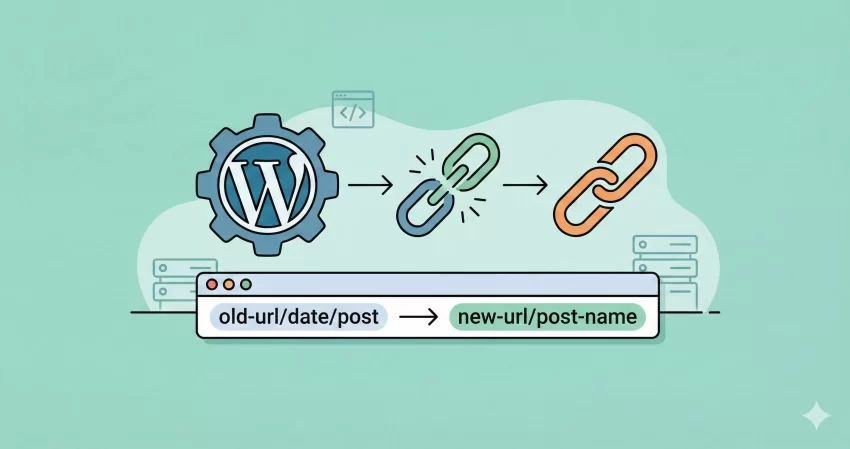
Safely Change Your URLs with the Ultimate WordPress Permalink Redirect Generator
Changing your WordPress permalink structure is one of the most effective ways to modernize your website and improve your SEO. However, it is also one of the most dangerous tasks if not handled correctly. One wrong move, and your hard-earned search engine rankings can vanish overnight due to broken links (404 errors).
That is exactly why we built this WordPress Permalink Redirect Generator.
Whether you are migrating from an old “Day and Name” structure to a cleaner “Post Name” format, or you are simply tidying up your URL hierarchy, this tool bridges the gap. It instantly generates the precise code you need to tell Google and other search engines exactly where your content has moved.
Why You Need a Redirect Generator
When you change your Permalink settings in WordPress (Settings > Permalinks), WordPress handles the new links perfectly. However, it doesn’t always handle the old links for incoming traffic. If a user clicks a link from an old email, a bookmark, or an external backlink, they might hit a “Page Not Found” error.
Our WordPress Permalink Redirect Generator solves this by creating 301 Redirects. A 301 redirect is a permanent signal to search engines that says, “This page has moved here permanently.” This ensures that:
- Users are seamlessly taken to the new URL.
- SEO Link Juice (ranking power) is passed from the old URL to the new one.
- Bounce Rates remain low because visitors find what they are looking for.
How to Use This Tool
Using our WordPress Permalink Redirect Generator is straightforward. We have designed it to be lightweight and fast. Here is a step-by-step guide:
- Enter Your Website URL: Type in your full domain (e.g.,
https://example.com). - Specify Directory (Optional): If your WordPress site lives in a subfolder (like
/blog/), enter that name. If it is on the main domain, leave this empty. - Select Old Structure: Choose the structure you are moving away from. If you were using a custom structure, select “Custom” and paste the tags (e.g.,
/%category%/%postname%/). - Copy the Code: The WordPress Permalink Redirect Generator will instantly output a line of code starting with
RedirectMatch 301. Click the box to copy it. - Update .htaccess: Paste this line at the very top of your
.htaccessfile, located in the root folder of your server.
Privacy and Security: A Client-Side Tool
Security is a top priority for us. Unlike many other online converters that process your data on their backend servers, our WordPress Permalink Redirect Generator operates entirely client-side.
What does this mean for you?
- Zero Server Load: The calculation happens in your browser using JavaScript.
- 100% Privacy: Your website URL and structure data never leave your computer. We do not log, store, or transmit your input data anywhere.
- Instant Results: Because there is no communication with a server, the code generation is instant.
We believe a WordPress Permalink Redirect Generator should be a utility, not a data collector. You can safely use this tool for client sites or high-profile projects without worrying about data leakage.
Common Permalink Scenarios
This tool is versatile enough to handle the most common migration scenarios.
- Moving from Dates to Name: Old blogs often use structures like
/%year%/%monthnum%/%day%/%postname%/. This makes URLs long and “dates” your content. Migrating to/%postname%/is a great SEO move. Our WordPress Permalink Redirect Generator detects the date patterns and strips them out safely. - Removing “/archives/”: If you used the “Numeric” structure (
/archives/123), moving to a descriptive slug is essential for user experience. This tool will map the old ID format to the new query string or slug format required. - Custom Structures: If you had a complex structure like
/%category%/%author%/%postname%/, standard tools might fail. Our WordPress Permalink Redirect Generator allows you to input your exact custom tags to generate a precise regex (Regular Expression) rule.
Frequently Asked Questions (FAQs)
Q: Do I need this tool if I use an SEO plugin? A: Some SEO plugins offer redirection managers, but they often run via PHP, which can be slower. The code generated by our WordPress Permalink Redirect Generator runs at the server level (Apache), which is much faster and more efficient than plugin-based redirects.
Q: Where do I find my .htaccess file?
A: You can access this file using an FTP client (like FileZilla) or the File Manager in your hosting control panel (cPanel). It is located in the root directory of your WordPress installation. Note: It is a hidden file, so ensure “Show Hidden Files” is enabled.
Q: Will this fix 404 errors immediately?
A: Yes. Once you save the code into your .htaccess file, the redirection is immediate. You should test an old link to ensure it lands on the correct new page.
Q: Is this WordPress Permalink Redirect Generator free?
A: Yes, this tool is completely free to use for personal and commercial projects.
Conclusion
Don’t let the fear of technical SEO hold you back from optimizing your site’s URL structure. With the right tools, migration is safe and easy. Use our WordPress Permalink Redirect Generator today to ensure your traffic keeps flowing and your rankings stay high.