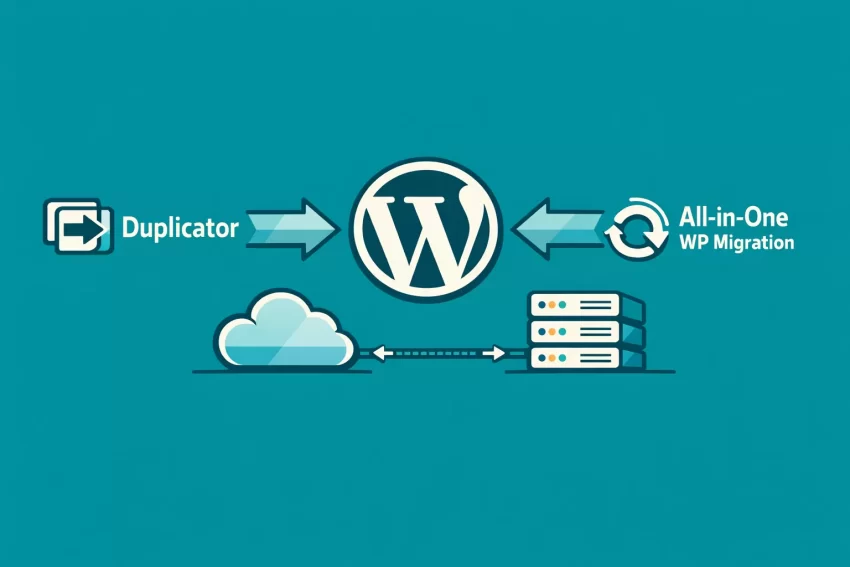
Moving a WordPress website from one host to another, or from a local development environment to a live server, is often a nerve-wracking experience. One wrong move, a dropped database table, or a corrupted file, and your entire site goes offline. If you are searching for the ultimate migration tool, you have undoubtedly narrowed it down to two heavyweights. Welcome to the definitive Duplicator vs All-in-One WP Migration battle for 2026.
As a technical referee, I do not believe in ties. You are not here to read that “both plugins have their merits.” You are here to find out which tool will perfectly execute your specific site transfer without crashing, timing out, or requiring a computer science degree to troubleshoot. We are going to examine their core engines, how they handle massive databases, their pricing structures, and their reliability under pressure.
The “Cheat Sheet” Verdict
Don’t have time to read the full battle? Here is the bottom line in the Duplicator vs All-in-One WP Migration showdown:
- Winner for Developers & Advanced Users: Duplicator Pro. It is the undeniable champion for bypassing WordPress entirely during the unpacking phase, offering zero-dependency migrations via its standalone installer.
- Winner for Beginners & Non-Technical Users: All-in-One WP Migration. If you want a literal drag-and-drop experience that feels as simple as uploading an image to Facebook, this is your tool.
While standard backup plugins are great for disaster recovery — you can read our deep dives in our UpdraftPlus Premium review and our BackupBuddy WordPress plugin review — migrations require specialized architecture. Let’s dive into the technical comparison to see which plugin deserves a place in your toolkit.
At a Glance: Key Differences Table
Before we dissect the granular features, let’s look at a high-level overview of how these two plugins stack up against each other.
While this guide gives you the definitive verdict in the Duplicator vs All-in-One WP Migration battle, you might want to look under the hood of each tool individually before making your final investment. If you want to explore granular settings, backup scheduling, and the complete feature set of each plugin in isolation, we have put both through rigorous, independent stress tests.
For a deep dive into the standalone installer and how the advanced .daf engine functions without a WordPress installation, check out our comprehensive Duplicator Pro plugin review. Alternatively, if you want to see exactly how the chunking technology handles massive drag-and-drop file uploads on constrained shared hosting, read our full All-in-One WP Migration review. Both guides provide real-world testing data to complement this head-to-head matchup.
Round 1: Features & Flexibility
When comparing Duplicator vs All-in-One WP Migration, the most glaring difference lies in their fundamental architecture and how they package your website’s data.
The Packaging Process
Duplicator operates by creating a “Package.” This package consists of two distinct items: an archive file (either a standard .zip or their custom .daf format for massive sites) and a PHP script named installer.php. This approach is incredibly flexible. You do not need WordPress installed on your destination server. You simply upload the archive and the installer script to an empty directory via FTP or a file manager, navigate to the installer script in your browser, and Duplicator handles the database creation, extraction, and configuration.
All-in-One WP Migration takes a drastically different route. It bundles your entire site—database, media, plugins, and themes—into a single, proprietary .wpress file. To deploy this file, you must first install a fresh copy of WordPress on your destination server, install the All-in-One WP Migration plugin, and then import the .wpress file through the WordPress dashboard.
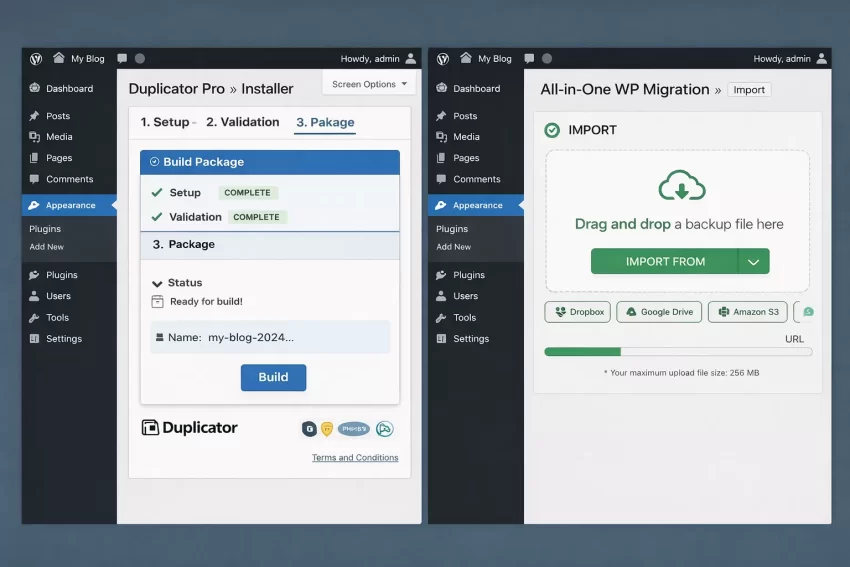
Technical Difference
Cloud Storage and Remote Destinations
Both plugins allow you to push your migrations to remote cloud storage. However, their execution models are completely different.
Duplicator Pro includes direct integrations with Dropbox, Google Drive, Amazon S3, FTP, and Microsoft OneDrive straight out of the box with any of their premium tiers. You can build a package and have it automatically pushed to your S3 bucket, making it a viable pseudo-backup tool as well.
All-in-One WP Migration isolates its cloud connections into separate, heavily gated extensions. If you want to push to Dropbox, you must buy the Dropbox extension. If you want Google Drive, that is another extension. This a la carte model can quickly inflate your software stack costs if you manage multiple environments.
Multisite Handling
Migrating a WordPress Multisite network is a notoriously complex task involving intricate database table structures and mapped domains. Duplicator Pro allows you to migrate a full Multisite network or extract a single sub-site into a standalone WordPress installation with relative ease.
All-in-One WP Migration also supports Multisite, but again, it requires a dedicated Multisite Extension. While the extension works flawlessly, it is an additional financial hurdle for agencies managing complex networks.
Winner of Round 1: Duplicator Pro. The inclusion of cloud storage in the base premium model and the superiority of the standalone installer.php gives it an undeniable edge in flexibility.
Round 2: Performance & Speed
Features mean nothing if the plugin crashes your server during execution. The real test in the Duplicator vs All-in-One WP Migration battle is how they handle massive, multi-gigabyte websites under strict server constraints.
Handling Large Sites & Server Limits
Shared hosting environments often impose strict limitations on PHP maximum execution time and memory limits. When a plugin tries to compress a 5GB website, it can easily exhaust these resources, resulting in a fatal 500 Internal Server Error.
All-in-One WP Migration is famous for its chunking technology. Instead of trying to process the entire site at once, it breaks the process down into tiny, digestible chunks. It streams the data into the .wpress file, which allows it to bypass almost all server limits. It is incredibly reliable on cheap, low-resource shared hosting. I have successfully migrated 10GB sites on constrained servers using All-in-One where other plugins simply gave up.
Performance Tip
Duplicator Pro also features advanced chunking and its custom .daf (Duplicator Archive Format) engine specifically designed to handle massive sites. However, because Duplicator relies on extracting an archive via a PHP script on the destination server, it can occasionally run into execution limits during the extraction phase if the server is severely throttled. You may need to manually adjust the wp-config.php or php.ini file on the destination to allow the installer.php script enough time to unpack a 10GB archive.
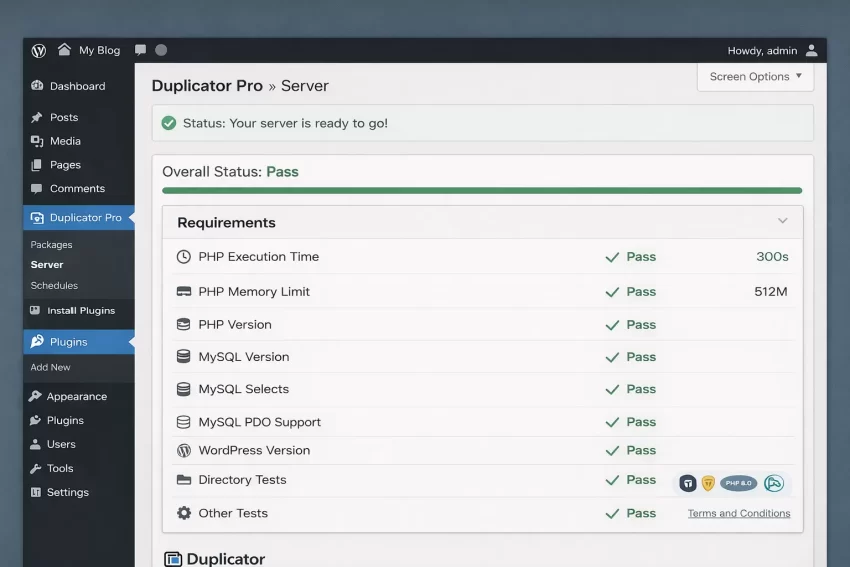
Database Serialization and Search & Replace
When you move a WordPress site, the domain name and file paths change. Because WordPress stores a lot of data in serialized arrays, running a simple SQL search and replace will corrupt widgets and theme settings. Both plugins handle serialization perfectly.
However, All-in-One WP Migration allows you to perform an unlimited number of custom Find and Replace rules before generating the export file. This is highly advantageous if you are changing a directory structure or migrating staging URLs alongside the main domain.
Winner of Round 2: All-in-One WP Migration. Its chunking technology and proprietary file format make it the most resilient option for bypassing aggressive host limitations on massive sites.
Round 3: Pricing & Value
The pricing models for these two tools are completely divergent, and this is where the Duplicator vs All-in-One WP Migration decision is often finalized for most users.
The Free Versions
Both plugins offer free versions on the WordPress repository. Duplicator Free is excellent for small sites, but it lacks the .daf engine, meaning large sites will likely timeout. It also lacks cloud storage integrations.
All-in-One WP Migration Free used to be the gold standard, but it now imposes a strict 512MB import limit. In 2026, a 512MB limit is almost useless for a mature website containing high-resolution images and videos. You will almost certainly hit this limit, forcing an upgrade.
Paywall Warning
Premium Tiers
Duplicator Pro starts at around $49.50 per year for a 2-site license. This tier includes everything: the advanced .daf engine, drag-and-drop imports, direct cloud storage to S3/Dropbox/Google Drive, and installer branding. Agencies can opt for higher tiers to increase the site limit, but the feature set remains robust from the entry level.
All-in-One WP Migration operates on an expensive, modular model. To bypass the 512MB free limit, you must purchase the “Unlimited Extension” for $69 per year. If you want to push backups to Google Drive, you must buy the Google Drive Extension ($29/year). If you need Multisite, that is another $69/year. If you want Amazon S3, that is another extension. A fully featured All-in-One setup can easily cost over $200 per year.
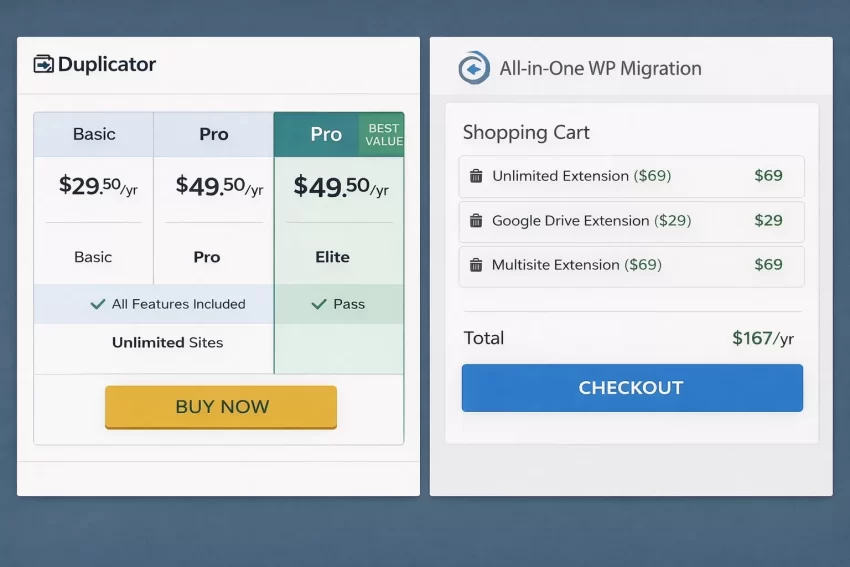
Winner of Round 3: Duplicator Pro. The value proposition of Duplicator is vastly superior. You get cloud integrations, multisite support, and unlimited file sizes bundled into standard, reasonably priced tiers without being nickel-and-dimed for basic cloud connections.
Final Verdict: Which one should you choose?
We have reached the end of the Duplicator vs All-in-One WP Migration battle. As a technical referee, I demand efficiency and reliability. The choice depends entirely on your technical comfort level and your server environment.
Choose Duplicator Pro if:
- You are a developer, freelancer, or agency owner.
- You want to migrate sites without having to install a fresh, blank copy of WordPress first.
- You want integrated cloud storage (S3, Dropbox, GDrive) without paying for separate add-ons.
- You appreciate the technical control of the
installer.phpscript.
Choose All-in-One WP Migration if:
- You are a beginner who wants a foolproof, drag-and-drop UI.
- Your host has extremely aggressive server limits and strict execution timeouts.
- You are willing to pay a premium for simplicity and are okay with installing an empty WordPress site to facilitate the import.
👉 Get All-in-One WP Migration Here
Ultimately, both will move your site successfully, but Duplicator Pro provides a superior, cost-effective toolkit for professionals, while All-in-One commands a premium for its incredibly resilient, idiot-proof interface.
Frequently Asked Questions
Which is cheaper, Duplicator Pro or All-in-One WP Migration?
Duplicator Pro is significantly cheaper overall. It bundles premium features like cloud storage integrations and large file support into its base premium tier starting around $49.50/year. All-in-One WP Migration requires you to purchase separate extensions for basic features, meaning a comparable setup will cost well over $100 per year.
Which is easier for beginners?
All-in-One WP Migration is decidedly easier for complete beginners. Its interface relies entirely on a visual drag-and-drop system within the WordPress dashboard, hiding all technical database and server-level configurations from the user.
Can either plugin handle a 10GB website?
Yes, both premium versions can handle massive 10GB+ websites. All-in-One uses advanced chunking technology to bypass server limits seamlessly, while Duplicator Pro utilizes its proprietary Duplicator Archive Format (.daf) specifically engineered for massive payloads.
Do I need WordPress installed on the new server to migrate?
If you use All-in-One WP Migration, yes, you must install a fresh copy of WordPress first to upload the plugin and run the import. If you use Duplicator, no, you do not need WordPress installed; the standalone installer.php script builds the entire environment for you.
That concludes our deep dive into the Duplicator vs All-in-One WP Migration debate. May your transfers be swift and your databases remain intact!