UpdraftPlus Premium
The gold standard for WordPress self-hosted backups. It offers unbeatable reliability, resource-saving incremental backups, and seamless migration tools for serious site owners and developers.
The Good
- Incremental backups save resources
- Seamless migration tool
- 1GB Free UpdraftVault storage
- Detailed reporting
- Multisite compatibility
The Bad
- User Interface looks dated
- Pricey for single site owners
- Separate add-ons can be confusing
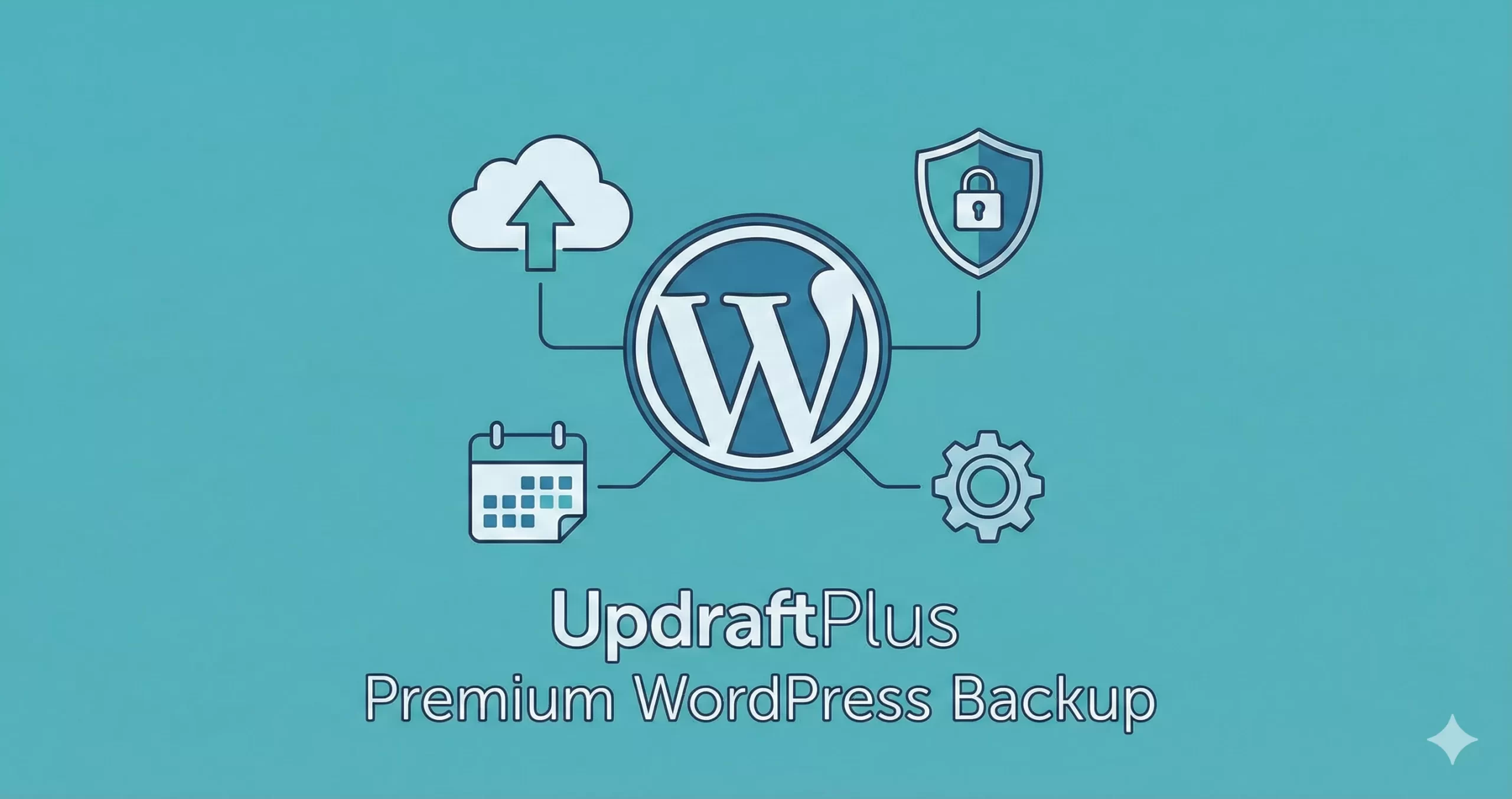
Every WordPress developer has a horror story. You wake up, check your client’s site, and see the White Screen of Death. Or worse, a hacked database. If you don’t have a reliable, off-site backup, your career is essentially on fire. While many hosts offer backups, relying solely on them is a rookie mistake. You need total control.
This is where our UpdraftPlus Premium Review begins. While the free version of UpdraftPlus is arguably the most popular backup plugin in the repository with over 3 million active installs, the Premium version promises to elevate your disaster recovery strategy with incremental backups, sophisticated reporting, and seamless cloning tools.
But is it worth the $70/year price tag in 2026? As a developer who values performance and “set it and forget it” reliability, I put the Premium version through stress tests on high-traffic WooCommerce sites and complex staging environments. Here is my honest analysis.
What is UpdraftPlus Premium?
UpdraftPlus is a WordPress backup and restoration plugin that allows you to store your site’s data in the cloud. Unlike SaaS solutions like BlogVault, UpdraftPlus runs directly on your server.
The UpdraftPlus Premium Review distinction lies in the architecture of how those backups are taken. The free version creates full backups every time—copying every single file and database row. The Premium version unlocks Incremental Backups, cloning capabilities, and a wider array of remote storage destinations like Microsoft OneDrive, SFTP, and Azure.
Technical Context
You might also like:
Key Features Analysis
In this UpdraftPlus Premium Review, we aren’t looking at the basics. We know it backs up files. We want to know what justifies the upgrade. Here are the features that actually matter for power users.
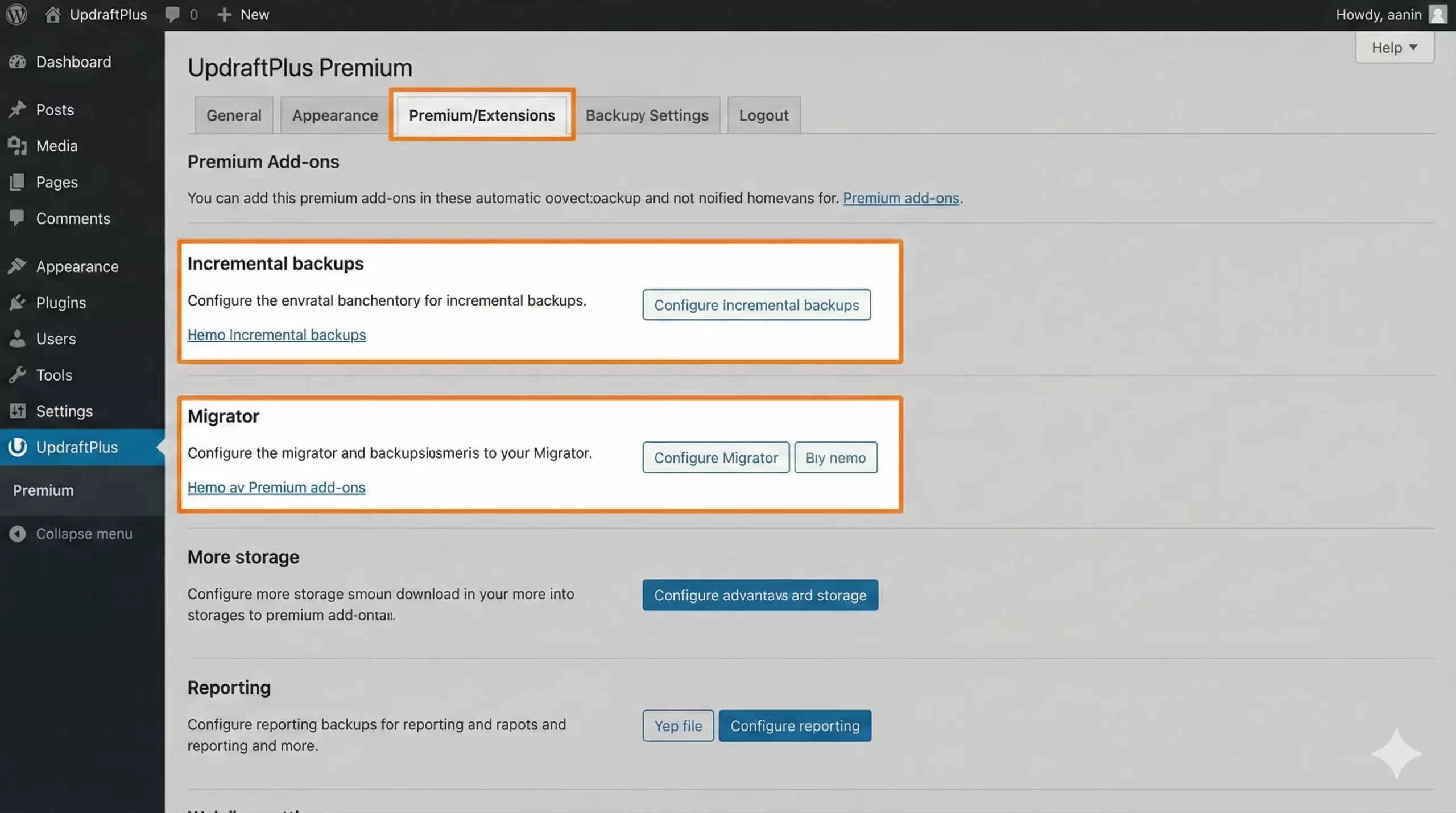
1. Incremental Backups
This is the single biggest selling point. Without this, every scheduled backup forces your server to zip up your entire wp-content folder. If you have a 2GB site, your server works hard to zip 2GB every hour.
With Premium, the plugin only backs up the changes made since the last backup. If you added one image and received three comments, the backup file is tiny. This dramatically reduces server load and ensures your hosting resources aren’t maxed out during peak traffic times.
2. The Migrator Tool
Moving a WordPress site manually involves database search-and-replace scripts and FTP transfers. It is tedious. UpdraftPlus Premium includes the “Migrator” add-on. You simply paste a key from the destination site into the source site, and it pushes the entire database and file structure over securely. It handles the serialized data replacement in the database automatically, preventing broken widgets and links.
3. Advanced Cloud Storage Options
The free version limits you to Dropbox, Google Drive, and S3. Premium opens up the corporate/enterprise stack:
- Microsoft OneDrive
- Microsoft Azure
- SFTP / SCP (Critical for developers pushing backups to a private server)
- WebDAV
- Google Cloud Storage (Native API support)
Security Tip
Must Read: Unbiased W3 Total Cache Review: The Ultimate Speed Booster or Just Hype?
Performance & Usability
Performance is where UpdraftPlus Premium Review scores usually vary. Because it runs on your server (unlike Jetpack Backup or BlogVault), it consumes your PHP resources.
However, in my testing on a DigitalOcean droplet (2GB RAM), the impact was negligible during incremental backups. The initial full backup spiked CPU usage to 40% for about 3 minutes, but subsequent hourly incremental backups finished in under 45 seconds with barely a blip on the CPU monitor.
The plugin allows you to lower the “Split size” of archives (e.g., to 100MB chunks) to prevent PHP timeouts on shared hosting environments. This flexibility is excellent for developers dealing with cheap client hosting.
You might also like:
Ease of Use
If there is one area where UpdraftPlus stumbles, it is the User Interface (UI). The interface looks like it was built in 2012 and hasn’t changed much since. It is tab-heavy, text-dense, and lacks the sleek, modern feel of competitors like WP Vivid.
That said, it is functional. You don’t use a backup plugin for its aesthetics; you use it for utility. The settings are granular, allowing you to include/exclude specific files, set retention rules (e.g., “Keep 50 daily backups but delete older ones”), and configure reporting emails.
Pricing: Is It Worth It?
Pricing is a major factor in this UpdraftPlus Premium Review. They use a tiered model:
- Personal: $70/year (2 sites)
- Business: $95/year (10 sites)
- Agency: $145/year (35 sites)
- Enterprise: $195/year (Unlimited sites)
Renewal Costs: Like most WordPress plugins, the renewal price is roughly the same (sometimes they offer a 40% discount on early renewals). For a single site owner, $70 might feel steep compared to free alternatives. However, for an agency managing 35 sites, the cost drops to roughly $4 per site per year. That is unbeatable value for the peace of mind provided.
Pros and Cons
To summarize my experience with the plugin, here is the breakdown. The biggest advantage is undoubtedly the incremental system, while the UI remains the primary drawback.
Pros
- Incremental Backups: Drastically reduces server load by saving only file changes.
- Seamless Migration: The Migrator add-on handles serialized data replacement automatically.
- Encryption: Database backups can be encrypted for GDPR compliance and security.
- Reporting: Detailed reports sent to Slack or Email about backup status.
- Multisite Support: Fully compatible with WordPress Multisite networks.
Cons
- Dated UI: The interface is cluttered and not beginner-friendly.
- Price for Single Site: $70 is high if you only run one small blog.
- Separate Add-ons: If you buy individual add-ons instead of Premium, it gets expensive fast.
Support & Documentation
I have contacted UpdraftPlus support three times over the last two years. As a Premium user, you get priority ticket support via their website. Their response time averaged 14 hours.
The support staff are technical. They didn’t give me copy-paste answers; they asked for my PHP error logs and identified a conflict with a security plugin quickly. Their documentation library is vast, covering everything from restoring to a different URL to debugging Cron job failures.
Who is this for?
This UpdraftPlus Premium Review concludes that the plugin is not for everyone.
Buy this if:
- You run a WooCommerce store (Database encryption and frequent hourly backups are mandatory here).
- You manage multiple client sites and need a cloning tool.
- You use enterprise cloud storage like Azure or OneDrive.
- You have a large site (over 1GB) where full backups fail due to timeout.
Skip this if:
- You run a simple brochure site with rarely changing content (The Free version is sufficient).
- You have zero budget (Use UpdraftPlus Free + Google Drive).
Alternatives to UpdraftPlus
1. BlogVault
A SaaS solution that processes backups on their servers, not yours. This guarantees zero server load but comes with a monthly subscription fee that is generally higher than UpdraftPlus.
2. Duplicator Pro
Excellent for migrations, but I find their scheduled backup interface slightly less intuitive than Updraft’s. However, for pure “cloning” tasks, Duplicator is a heavyweight champion.
Final Verdict: Is UpdraftPlus Premium Worth It?
After extensive testing for this UpdraftPlus Premium Review, the verdict is clear. If you are a professional making money from your website, the $70 investment is a negligible insurance premium against data loss.
The incremental backups alone justify the price by saving your server resources and ensuring your backups complete successfully even during high traffic. While the interface is ugly, the engine under the hood is rock solid. It is the tool I trust for my own high-value projects.
Final Score: 4.7/5