The “Cheat Sheet” Verdict
Don’t have time to read the full battle? Here is the bottom line:
- Winner for Free/Budget Users & Solopreneurs: UpdraftPlus. It offers the most powerful free version on the market with direct cloud integration.
- Winner for Agencies & Developer Ecosystems: BackupBuddy. If you already use SolidWP (iThemes) security tools, the integration creates a fortress for client sites.
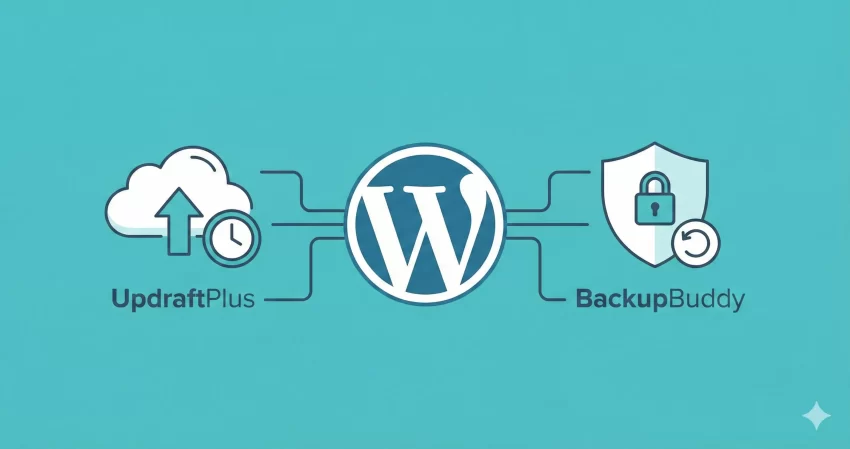 There are two types of WordPress users: those who have lost data, and those who are about to. When your server crashes or a hacker strikes, the only thing standing between you and a total business restart is your backup plugin. This brings us to the ultimate showdown: UpdraftPlus vs BackupBuddy.
Choosing between these two titans is difficult because they represent two different philosophies. UpdraftPlus is the “User’s Champion,” offering massive utility for free and granular control for premium users. BackupBuddy (now part of SolidWP) is the “Developer’s Fortress,” a premium-only veteran that focuses on complete site portability and security integration.
As your unbiased Tech Referee, I have tested restoration speeds, cloud compatibility, and ease of use. I do not believe in ties. By the end of this comparison, you will know exactly which tool deserves to guard your data in 2026.
Critical Warning
At a Glance: Key Differences Table
Before we dive into the deep technical analysis of UpdraftPlus vs BackupBuddy, let’s look at the raw specs.
You might also like:

Round 1: Features & Flexibility
In the first round of UpdraftPlus vs BackupBuddy, we analyze the toolsets. A backup plugin is more than just a “save” button; it needs to be an automated safety net that works while you sleep.
UpdraftPlus: The Cloud Connector
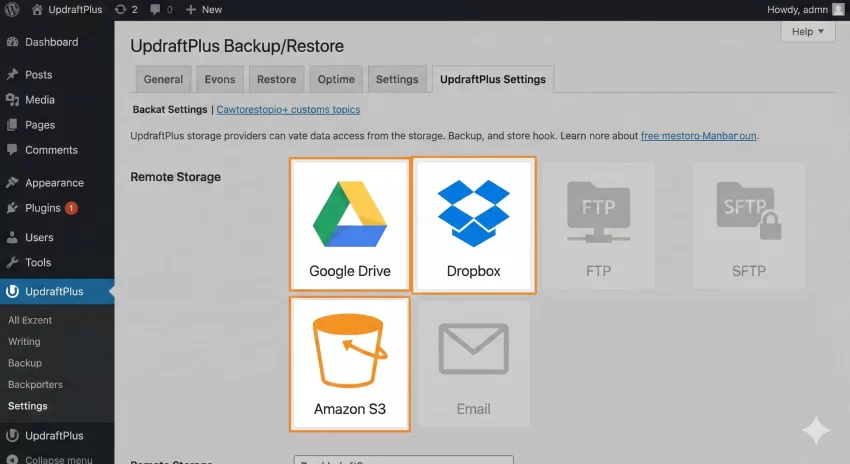
UpdraftPlus is famous for one thing above all else: connectivity. Even in the free version, it allows you to send backups directly to a staggering array of remote storage locations. While many plugins lock Google Drive or Dropbox behind a paywall, UpdraftPlus gives it to you for free.
The interface uses a tabbed layout. It isn’t the prettiest UI in the WordPress ecosystem, but it is functional. You can schedule file and database backups separately—a crucial feature for high-traffic sites where the database changes hourly, but files change weekly.
Key Features:
- Broad Remote Storage: Supports Dropbox, Google Drive, Amazon S3, Rackspace, FTP, SFTP, email, and more.
- Incremental Backups: (Premium only) This saves server resources by only backing up changes made since the last run.
- Migrator: For cloning and migration, the premium version simplifies moving a site from local to live.
For a deeper dive into the premium features, check out our full UpdraftPlus Premium Review.
BackupBuddy: The Security Suite
BackupBuddy approaches backups as a component of site security. Since it has no free version, the entry barrier is higher, but the toolset reflects that. It includes “Stash Live,” a proprietary cloud service that creates real-time snapshots of your site. If you are editing a post and the server dies, Stash Live likely saved that specific edit.
Furthermore, BackupBuddy includes malware scanning. This is a massive differentiator. It ensures that you aren’t just backing up a corrupted or infected site, but a clean one.
Key Features:
- Stash Live: Continuous backups that offload the processing from your server to SolidWP’s servers.
- ImportBuddy: A standalone script that allows you to restore your WordPress site even if the dashboard is completely inaccessible (White Screen of Death).
- Profiles: You can create “Profiles” for different backup types (e.g., “Database Only” or “Full Site”).
The Verdict on Features
If you need flexibility with storage providers (using your own S3 bucket or Drive), UpdraftPlus wins. However, if you want a “set and forget” real-time solution with added security scanning, BackupBuddy takes the lead. For the average user, UpdraftPlus’s remote storage options are the deciding factor.
Pro Tip
You might also like:
Round 2: Performance & Restoration Speed
A backup is only as good as its ability to restore. When your site is down, every second costs money. This is the most critical phase of the UpdraftPlus vs BackupBuddy battle.
UpdraftPlus Restoration
UpdraftPlus makes restoration incredibly simple. You log into your WordPress dashboard, go to the “Existing Backups” tab, and click “Restore.” The plugin then downloads the backup files from your remote storage and applies them.
The beauty of UpdraftPlus is that it splits your backup into distinct zip files: Database, Plugins, Themes, Uploads, and Others. If an update breaks just your plugins, you can restore only the plugins without rolling back your database (and losing recent comments or orders). This granular restoration is a lifesaver for eCommerce sites.
BackupBuddy Restoration
BackupBuddy uses a tool called ImportBuddy. This is a powerful PHP script. To restore a site, you upload the importbuddy.php file and your backup zip to the server via FTP/cPanel. You then visit yourdomain.com/importbuddy.php in your browser.
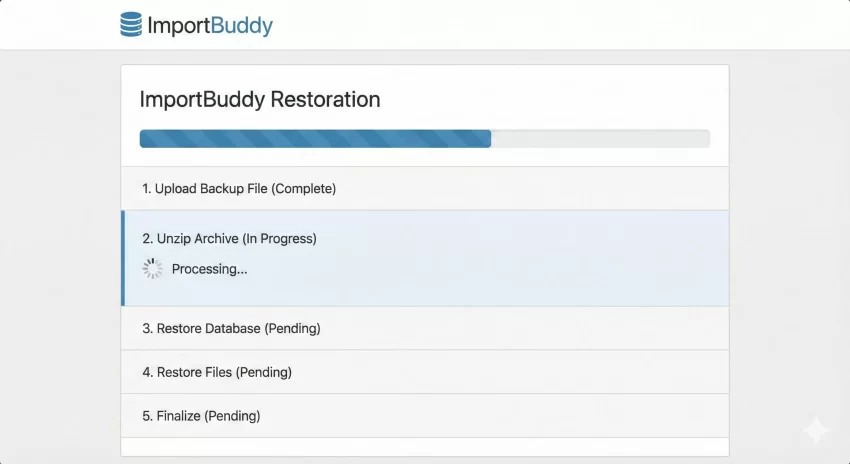
This process is more technical than clicking a button in the dashboard, but it is also more robust. If your WordPress installation is so broken that you can’t even log in to the admin area, UpdraftPlus’s dashboard restoration is useless. BackupBuddy’s standalone script works even when WordPress doesn’t.
However, for general site migration or cloning, BackupBuddy has historically been slower and more prone to timeout errors on cheap shared hosting compared to UpdraftPlus.
Read more about the intricacies of the ImportBuddy tool in our BackupBuddy Review.
The Verdict on Performance
UpdraftPlus is faster and easier for minor mishaps (plugin conflicts, bad updates). BackupBuddy is superior for catastrophic failures where WordPress is inaccessible. However, because UpdraftPlus splits archives to avoid server timeouts, it generally performs better on shared hosting environments.
Round 3: Pricing & Value
Pricing is usually the knockout punch in the UpdraftPlus vs BackupBuddy comparison.
UpdraftPlus Pricing
- Free Version: Fully functional. Includes remote backups, schedules, and restores. Sufficient for 90% of websites.
- Premium Personal: ~$70/year for 2 sites. Unlocks cloning, incremental backups, reporting, and more storage options.
BackupBuddy Pricing
- Blogger Plan: ~$99/year for 1 site.
- Agency Bundle: BackupBuddy is often sold as part of the SolidWP suite, which can be expensive but provides immense value if you manage client sites.
There is no contest here for the budget-conscious. UpdraftPlus offers a viable free product. BackupBuddy is strictly a premium investment.
Final Verdict: Which one should you choose?
After testing both plugins extensively, the choice comes down to your technical comfort level and your budget. Here are the specific scenarios to help you decide.
Choose UpdraftPlus If:
- You are on a budget. The free version is robust and reliable.
- You use Shared Hosting. The way UpdraftPlus splits files helps prevent “Server Timeout” errors during backups.
- You want granular restores. The ability to restore just plugins or just themes is a massive workflow advantage.
- You want to use your personal Google Drive or Dropbox without extra fees.
Choose BackupBuddy If:
- You are an Agency or Developer. The ImportBuddy tool is excellent for moving client sites between dev and live environments.
- You prioritize Security. The integrated malware scanning adds a layer of protection that UpdraftPlus lacks natively.
- You want Real-Time Backups. Stash Live is easier to set up than UpdraftPlus’s incremental backups for ensuring every single edit is saved.
The Referee's Decision
Frequently Asked Questions
Here are the most common questions we get regarding the UpdraftPlus vs BackupBuddy debate.
Which is cheaper, UpdraftPlus or BackupBuddy?
UpdraftPlus is significantly cheaper because it offers a fully functional free version. BackupBuddy is a premium-only plugin starting at approximately $99 per year. Even comparing premium versions, UpdraftPlus generally offers a lower entry price for a 2-site license compared to BackupBuddy’s single-site license.
Which plugin is easier for beginners?
UpdraftPlus is easier for beginners. It allows you to connect to Google Drive or Dropbox via a simple authentication button and offers a one-click restore function directly inside the WordPress dashboard. BackupBuddy has a steeper learning curve, particularly when using the ImportBuddy tool for restoration.
Does UpdraftPlus work on WordPress Multisite?
Yes, UpdraftPlus supports WordPress Multisite (WPMU), but you need the Premium version or the specific Multisite add-on to manage backups for the entire network effectively.
Can BackupBuddy migrate a site to a new domain?
Yes, BackupBuddy is excellent for migration. Its ImportBuddy tool allows you to move a WordPress site to a completely new domain or host and automatically handles the database search-and-replace to update URLs.
Do these plugins slow down my website?
Generally, no. Both plugins run scheduled tasks in the background. However, running a backup is resource-intensive. UpdraftPlus is optimized to minimize server load by splitting archives, which helps prevent site slowdowns during the backup process compared to older backup scripts.