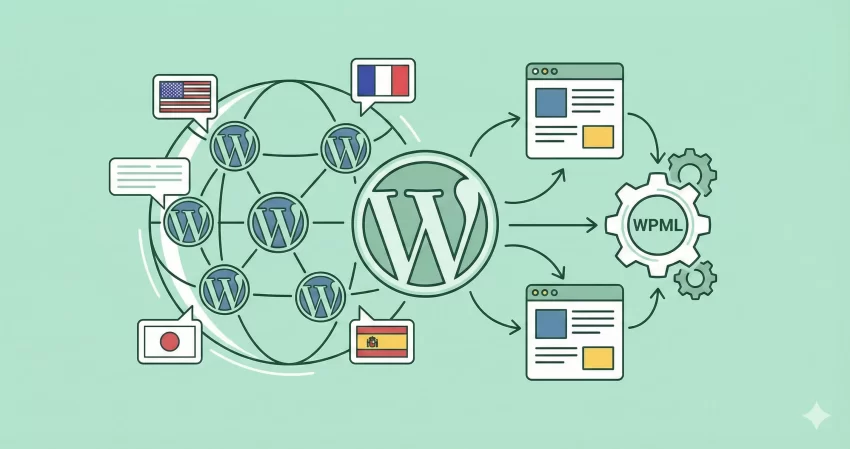
If you have ever tried to scale a WordPress site globally, you know the pain. You build a beautiful, pixel-perfect site, and then the client asks, “Can we have this in French, German, and Japanese?” Suddenly, your clean architecture feels like a house of cards. This is usually the moment developers turn to the WordPress Multilingual Plugin. But with so many new competitors on the market, is the industry giant still the king? In this comprehensive WPML review, we are going to tear down the features, performance, and developer experience to see if it’s still the best choice in 2026.
Whether you are running a simple blog or a complex WooCommerce store, choosing the right translation plugin is a high-stakes decision. Make the wrong choice, and you are looking at broken permalinks, SEO disasters, and a database bloated with orphan rows. Let’s find out if WPML is the solution or just another headache.
WPML Review: What is it?
WPML (WordPress Multilingual) is the oldest and most popular plugin for creating multilingual WordPress websites. Unlike some newer SaaS solutions that overlay translations on top of your site (like a mask), WPML works directly within your WordPress database. It turns a single WordPress installation into a multilingual powerhouse, allowing you to translate posts, pages, custom post types, and even theme strings.
In this WPML review, we are focusing on the latest version, which has introduced significant changes to how it handles automatic translations and string management—two areas that used to be major pain points.
Key Features: What’s New in 2025?
WPML isn’t the same plugin it was five years ago. The team has pushed hard to integrate AI and automation. Here are the standout features:
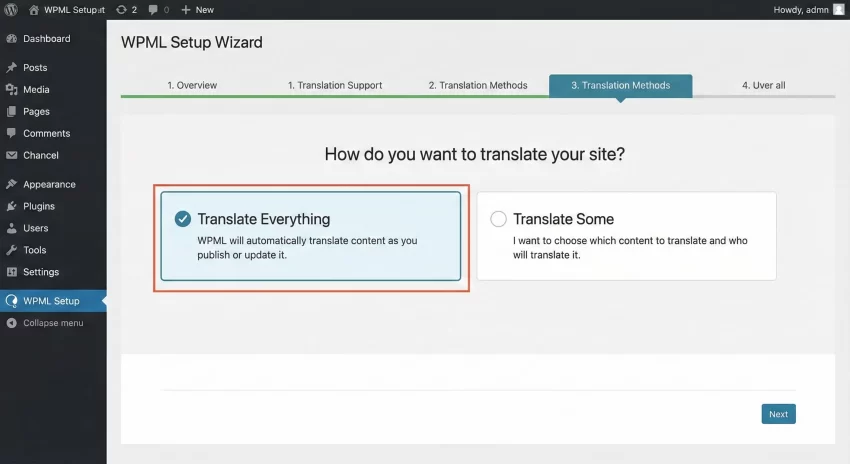
1. “Translate Everything” Mode
This is a game-changer for content-heavy sites. Instead of manually clicking “translate” for every post, you can set WPML to Translate Everything. It runs in the background, automatically translating new content as you publish it using engines like DeepL, Google Translate, or Microsoft Azure. You can then review the translations before they go live, or let them publish automatically.
2. String Translation that Actually Works
Historically, finding that one specific text string inside a plugin was a nightmare. The revamped String Translation interface is much faster and allows you to track where strings come from. It’s a crucial feature for developers who need to ensure custom themes are fully localized.
3. WooCommerce Multilingual
For e-commerce, WPML is arguably the standard. It doesn’t just translate products; it handles multi-currency payments, ensuring that a user in Europe sees Euros while a user in the US sees Dollars, all while keeping stock synchronized. This is really helpful when you run a WooCommerce store.
You might also like:

Installation and Setup
Let’s walk through the setup. One thing to note for this WPML review is that the setup wizard has become incredibly user-friendly. Gone are the days of confusing checklists.
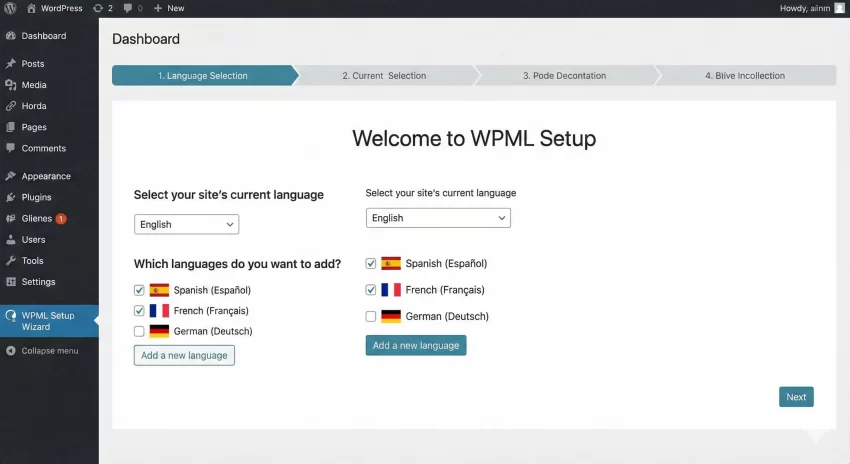
Step 1: The Setup Wizard
After installing the core plugin, the wizard guides you through selecting your current language and the languages you want to add. You can choose from over 65 pre-configured languages or add your own custom locale.
Step 2: Configuring URL Structure
SEO is critical here. WPML gives you three main choices:
- Different languages in directories (e.g., pixelnet.in/fr/) – Highly Recommended for SEO.
- A different domain per language (e.g., pixelnet.fr)
- Language name as a parameter (e.g., pixelnet.in?lang=fr) – Avoid this if possible.
Developer Experience: Customizing WPML
This is where we separate the casual users from the pros. As developers, we often need more control than the UI offers. In this section of our WPML review, we’ll look at how to programmatically interact with the plugin.
WPML offers a robust set of hooks and filters. Let’s say you want to inject a custom language switcher into a specific part of your theme without using a widget. You can use a custom function.
Here is a clean, developer-friendly snippet to get the active languages. Note that I am using the prefix pnet_ to keep our namespace clean:
/**
 * Custom Language Switcher Function
 * * Returns an HTML list of active languages.
 */
function pnet_custom_language_switcher() {
    $languages = apply_filters( 'wpml_active_languages', NULL, 'skip_missing=0' );

    if ( !empty( $languages ) ) {
        echo '<div class="pnet-lang-switcher">';
        echo '<ul>';
        foreach( $languages as $l ) {
            $class = $l['active'] ? 'class="active"' : '';
            echo '<li ' . $class . '>';
            echo '<a href="' . esc_url( $l['url'] ) . '">';
            echo '<img src="' . esc_url( $l['country_flag_url'] ) . '" alt="' . esc_attr( $l['language_code'] ) . '" />';
            echo '<span class="lang-name">' . esc_html( $l['native_name'] ) . '</span>';
            echo '</a>';
            echo '</li>';
        }
        echo '</ul>';
        echo '</div>';
    }
}
This snippet uses the wpml_active_languages filter, which is the standard way to retrieve language data. It allows you to build a completely custom UI that matches your “flat modern” design system without fighting WPML’s default CSS.
You might also like:

Performance: Is WPML Bloated?
No WPML review would be honest without addressing the elephant in the room: Performance. Years ago, WPML had a reputation for slowing down the WordPress database. Is that still true?
In our testing for 2025, the answer is nuanced. WPML does add tables to your database. However, the performance impact on the front end is negligible if you are using a good caching solution (like WP Rocket or LiteSpeed). The backend (wp-admin) can feel slightly heavier, but the trade-off is the sheer power you get.
To keep things fast:
- Disable “Track where strings appear on the site” after you are done developing.
- Use the “Auto-register strings only when logged in as admin” setting.
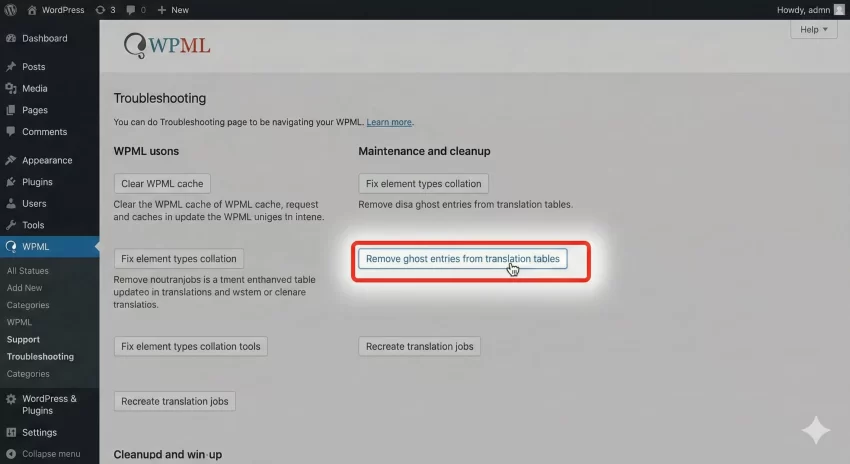
- Regularly clean up “Ghost entries” in the WPML Troubleshooting page.
WPML vs. The Competition
How does it stack up against plugins like Polylang or Weglot?
- vs. Polylang: Polylang is lighter and faster, but its free version is very limited. If you need WooCommerce support, you have to pay for Polylang Pro and Polylang for WooCommerce, which ends up costing similar to WPML.
- vs. Weglot: Weglot is easier (almost zero setup) but it can get expensive very quickly because they charge by word count. WPML charges a flat annual fee, making it much more affordable for large sites.
Pricing
WPML does not offer a free version. They have three tiers:
- Multilingual Blog: Good for basic sites, but lacks String Translation and Page Builder support.
- Multilingual CMS: The sweet spot. Includes everything—WooCommerce, Page Builders, and 90,000 auto-translate credits.
- Agency: For developers managing many client sites.
Pros and Cons
To summarize our WPML review, here is the breakdown:
Pros
- Completeness: It translates everything (Taxonomies, Menus, Slugs, Custom Fields).
- SEO: Best-in-class Hreflang support.
- Compatibility: Most theme authors test against WPML specifically.
- Cost-Effective: Flat fee regardless of how much content you translate.
Cons
- Complexity: The learning curve is steeper than Weglot.
- Database Footprint: It creates additional tables in your database.
- No Free Trial: You have to buy it to try it (though they have a 30-day refund policy).
Verdict: Is it the Best Choice?
After a thorough WPML review, our verdict is clear. If you are a developer building a complex, feature-rich website – especially one running WooCommerce – WPML is still the king. The control it gives you over URL structures, SEO metadata, and custom fields is unmatched.
However, if you are building a tiny portfolio site with five pages and zero dynamic content, WPML might be overkill. But for serious business sites, the investment is worth the peace of mind.
Ready to take your site global? Make sure you test the code snippet above in a staging environment first! Did you like this WPML review? Let me know in the comments bellow.