If you’ve ever wanted cleaner, more stylish pagination in your WordPress theme, then creating a WordPress Bootstrap Pagination system is one of the best upgrades you can make. Pagination plays a crucial role in how visitors navigate your blog or archive pages, and improving it can dramatically enhance user experience, especially on mobile devices. Many default WordPress themes come with simple or outdated pagination styles, but with Bootstrap 5.3.8 you can instantly add a modern, responsive, and professional feel to your navigation. In this guide, I’ll walk you through a fully functional custom pagination solution, explain why it’s important, and show you exactly how to add it to any theme — even if you’re not an advanced developer. In our last guide, we had it built using the Bootstrap 4, but in this guide, we will build it using Bootstrap version 5.3.8, which is the latest as on today.
Why Custom Pagination Matters
The default WordPress pagination is functional, but not visually appealing. With WordPress Bootstrap Pagination, you get:
- Better UX
- Mobile-friendly buttons
- A modern, clean UI
- Theme consistency
- Full control over markup and classes
By the end of this guide, your pagination will look beautiful on any device—thanks to Bootstrap’s responsive classes.
Step 1: Enqueue Bootstrap 5.3.8 in Your Theme
If your theme doesn’t already include Bootstrap, you need to enqueue it manually. Add this inside your functions.php:
function enqueue_bootstrap_css() {
    wp_enqueue_style(
        'bootstrap-css',
        'https://cdn.jsdelivr.net/npm/bootstrap@5.3.8/dist/css/bootstrap.min.css',
        array(),
        '5.3.8'
    );
}
add_action('wp_enqueue_scripts', 'enqueue_bootstrap_css');
This ensures your WordPress Bootstrap Pagination will pick up the latest Bootstrap styles correctly.
Step 2: Create a Custom WordPress Pagination Function
Now, let’s build a full custom function that outputs correct Bootstrap pagination markup. Add this inside your functions.php:
function custom_bootstrap_pagination($query = null) {

    if (!$query) {
        global $wp_query;
        $query = $wp_query;
    }

    $big = 999999999; // placeholder

    $pages = paginate_links(array(
        'base'      => str_replace($big, '%#%', esc_url(get_pagenum_link($big))),
        'format'    => '?paged=%#%',
        'current'   => max(1, get_query_var('paged')),
        'total'     => $query->max_num_pages,
        'type'      => 'array',
        'prev_text' => '«',
        'next_text' => '»',
    ));

    if (is_array($pages)) {
        echo '<nav aria-label="Page navigation">';
        echo '<ul class="pagination justify-content-center">';

        foreach ($pages as $page) {
            $active = strpos($page, 'current') !== false ? ' active' : '';
            echo '<li class="page-item' . $active . '">';
            echo str_replace('page-numbers', 'page-link', $page);
            echo '</li>';
        }

        echo '</ul>';
        echo '</nav>';
    }
}
What this function does:
- Uses WordPress’s native
paginate_links() - Converts WordPress classes into Bootstrap classes (
page-item,page-link) - Wraps everything inside Bootstrap’s
navandul class="pagination" - Highlights the active page correctly
This gives you a perfectly styled WordPress Bootstrap Pagination component.
Step 3: Display the Pagination in Your Theme
Open any template file which requires pagination, for example:
- index.php
- archive.php
- category.php
- Or your custom WP_Query loop file
Add this just after your loop:
<?php custom_bootstrap_pagination(); ?>
For custom WP_Query loops:
<?php custom_bootstrap_pagination($custom_query); ?>
That’s it, your custom WordPress Bootstrap Pagination will appear instantly on the template that you put it on.
Step 4: Optional – Centering & Styling Tips
Bootstrap already centers the pagination with:
<ul class="pagination justify-content-center">
If you want tighter spacing, add this CSS inside style.css:
.pagination .page-item .page-link {
    margin: 0 3px;
}
Final Result (What You Achieve)
By now, your site will have:
- Fully responsive Bootstrap 5.3.8 pagination
- Clean page numbers with previous/next icons
- Improved navigation UX
- A professional look matching modern WordPress themes
- Better SEO due to improved internal navigation
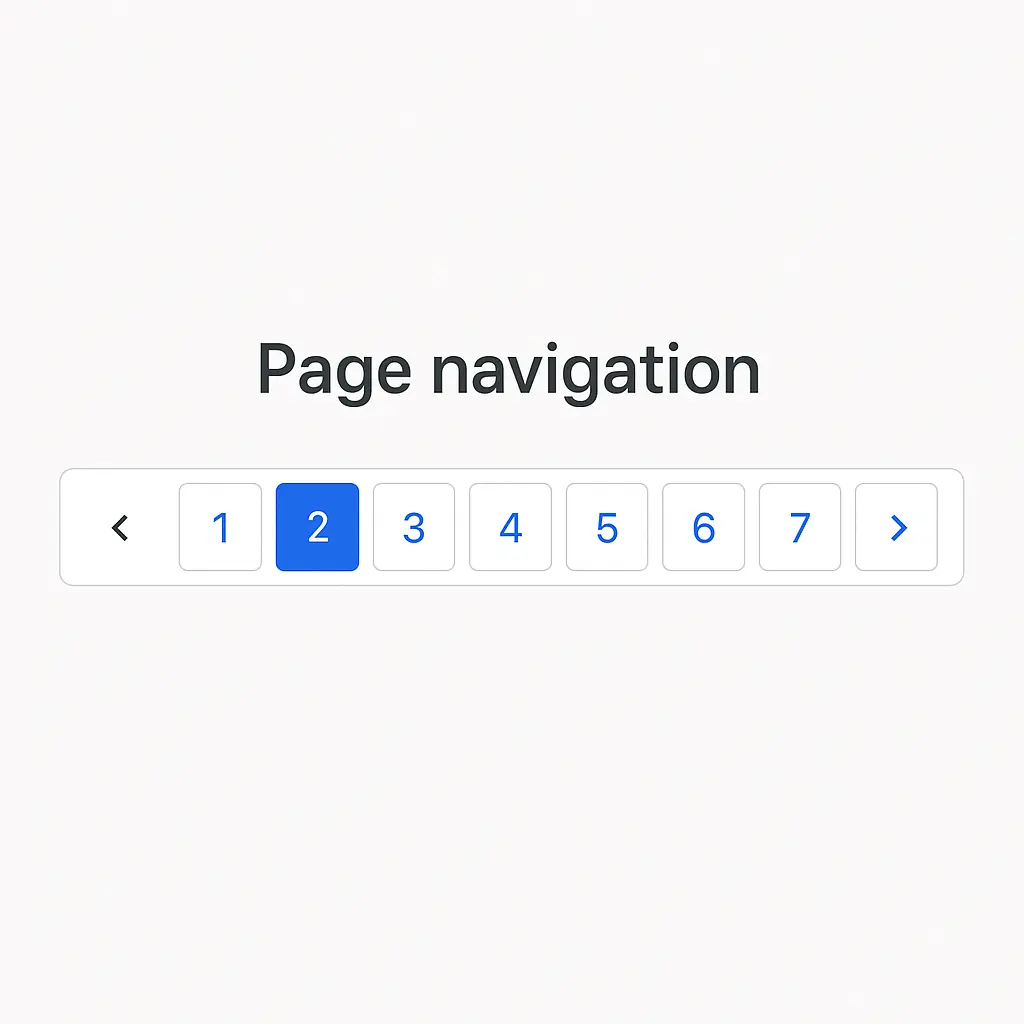
Using WordPress Bootstrap Pagination also helps search engines crawl your blog efficiently, improving page discovery and indexation.
Conclusion
A custom WordPress Bootstrap Pagination system is one of the simplest yet most effective enhancements you can add to your site. Not only does it improve readability and navigation, but it also gives your theme a polished, modern look that aligns with today’s design standards. When users can quickly jump through content without confusion or clutter, they tend to stay longer and explore more pages — which helps reduce bounce rates and boost engagement. On top of that, well-structured pagination makes it easier for search engines to crawl your website, improving your overall SEO health.
With just a few lines of code, you now have a fully responsive, Bootstrap-powered pagination component that works on any WordPress theme. If you want to take it further, I can help you create a plugin version, add icons, support AJAX pagination, or even generate a Gutenberg block for drag-and-drop usage.