Choosing the right page builder can make or break your workflow as a WordPress developer. In this comprehensive Divi Builder review, we are diving deep into one of the most popular visual editors on the market. Whether you are a freelancer building client sites or a DIY beginner, understanding the strengths and weaknesses of Divi is crucial before investing your money.
Divi has evolved significantly over the years, moving from a simple shortcode-based builder to a full-fledged design framework. With the upcoming shift to Divi 5.0 focusing on performance, it is the perfect time to evaluate if this tool belongs in your tech stack.
Unbiased Divi Builder Review: What is it?
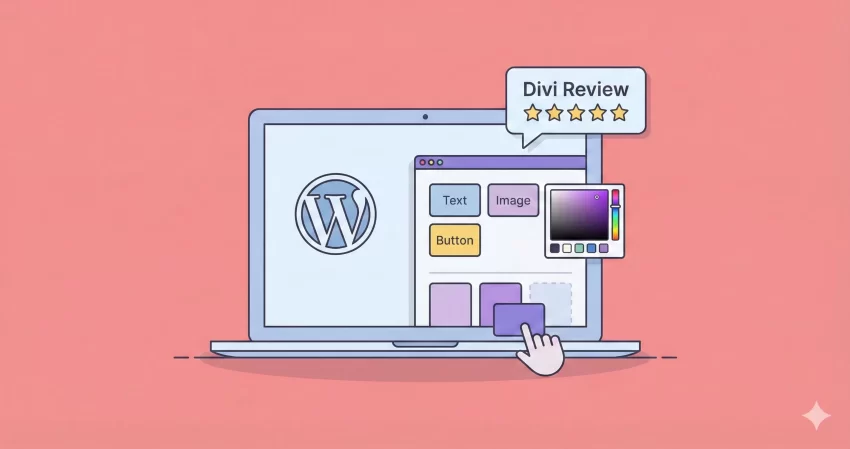
The Divi Builder is a visual drag-and-drop page builder plugin developed by Elegant Themes. Unlike the standard WordPress block editor (Gutenberg), Divi allows you to build complex layouts on the front end of your website, seeing the results in real-time. It replaces the standard post editor with a vastly superior visual editor.
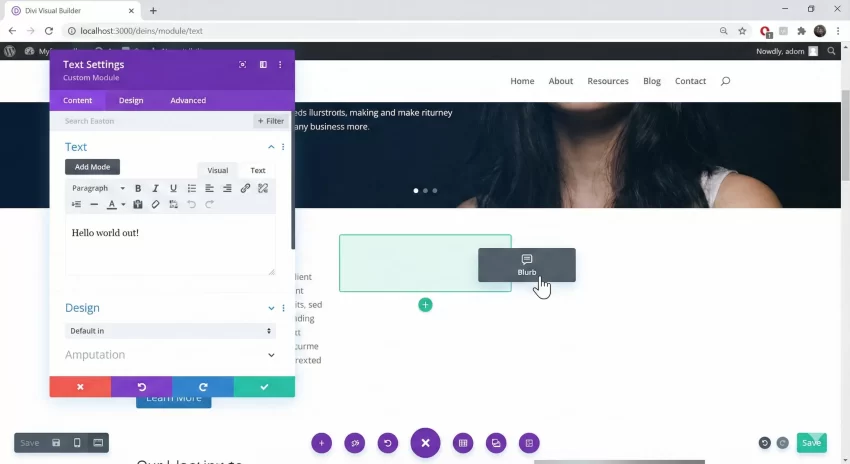
While it is often bundled with the Divi Theme, the standalone plugin can be used with any WordPress theme, giving developers immense flexibility.
Key Features for Developers and Agencies
1. The Visual Builder
The core of Divi is its Visual Builder. It allows you to design everything on the front end. You can click and type directly onto the page, adjust padding by dragging handles, and copy/paste styles across modules instantly. For agencies, this speed is invaluable when iterating designs for clients.
2. Global Elements and Theme Builder
One of the strongest features we found in this Divi Builder review is the Theme Builder. It allows you to create global headers, footers, and dynamic post templates. If you change a global header, it updates across the entire site instantly.
3. Advanced Code Editing
For developers who don’t want to be limited by UI controls, Divi offers robust code editors within every module. You can add custom CSS to specific elements (like the Main Element, Before, or After pseudo-elements) without leaving the builder.
Performance and SEO: Is Divi Bloated?
Historically, page builders have been criticized for “divi soup”—an excess of shortcodes and DOM depth. However, Elegant Themes has made massive strides with critical CSS generation, dynamic asset loading, and JavaScript deferral built right into the theme options.
That said, you should still practice good hygiene. Avoid excessive nested rows and unused animations to keep your Divi Builder review benchmarks high on Google PageSpeed Insights.
You might also like:
Extending Divi with Custom PHP
Sometimes the built-in modules aren’t enough. As a developer, you might need to register custom shortcodes or modify functionality. Here is an example of how you can create a simple custom shortcode to display the current year (useful for footers) using a consistent naming convention.
Add the following code to your child theme’s functions.php file:
/**
 * Shortcode to display current year.
 * Usage: [pnet_current_year]
 */
function pnet_get_current_year() {
    return date('Y');
}
add_shortcode( 'pnet_current_year', 'pnet_get_current_year' );

/**
 * Enqueue custom scripts for Divi specific modifications
 */
function pnet_enqueue_divi_custom_scripts() {
    wp_enqueue_script(
        'pnet-divi-custom',
        get_stylesheet_directory_uri() . '/js/divi-custom.js',
        array('jquery'),
        '1.0.0',
        true
    );
}
add_action( 'wp_enqueue_scripts', 'pnet_enqueue_divi_custom_scripts' );
The Pros and Cons
To give you an honest Divi Builder review, we have broken down the positives and negatives based on real-world usage.
Pros
- Lifetime Pricing: One of the few premium builders offering a lifetime unlimited license.
- Huge Ecosystem: Thousands of third-party plugins and layouts are available.
- Role Editor: Control exactly what your clients can edit to prevent them from breaking the design.
Cons
- Shortcode Lock-in: If you disable Divi, your content is left wrapped in shortcodes (though Divi 5.0 aims to address data storage).
- Learning Curve: The sheer number of options can be overwhelming for absolute beginners compared to simpler builders.
You might also like:
Pricing: Is It Worth It?
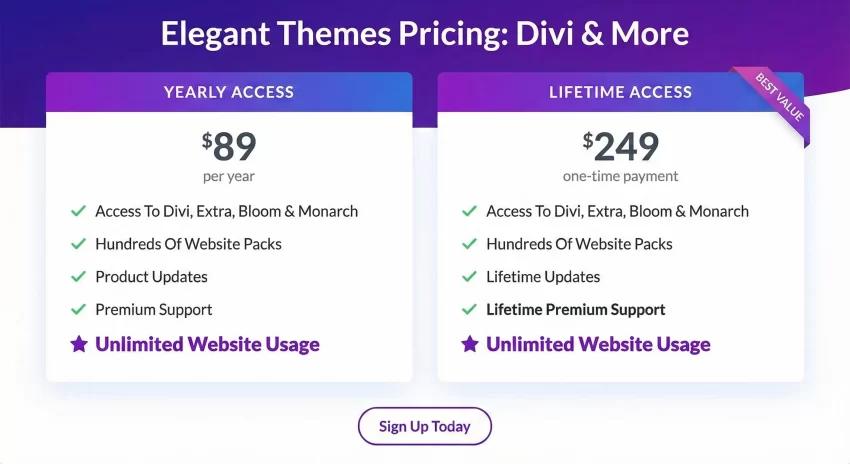
Divi operates on a simple pricing model: $89 per year or $249 for lifetime access. For freelancers and agencies managing multiple client sites, the lifetime deal is arguably the best value in the WordPress ecosystem.
Final Verdict
After a detailed Divi Builder review, it is clear that Divi remains a powerhouse for WordPress professionals. It bridges the gap between design freedom and developer control. While it requires some optimization to keep it lightning-fast, the feature set and lifetime pricing make it a “must-have” tool for agencies.
If you are looking for a builder that grows with your skills, Divi is an excellent choice for 2025 and beyond.