
Welcome back to PixelNet! If you are a developer looking to push WordPress beyond its standard blogging capabilities, you have likely realized that the default loop just doesn’t cut it for complex applications. Whether you are building a directory, a complex e-commerce filter, or a custom data dashboard, mastering the Advanced WP_Query class is the definitive skill that separates beginners from professionals.
In the world of WordPress development, retrieving posts based on simple categories or tags is child’s play. The real challenge—and the real power—lies in constructing queries that can handle multiple meta keys, intricate date ranges, and custom taxonomy intersections simultaneously. This guide is not for the faint of heart; we are diving deep into the architecture of the database abstraction layer to show you exactly how to wield the full power of an Advanced WP_Query.
Why You Must Master the Advanced WP_Query Class
At its core, WordPress is a content management system built on a database. Every time a page loads, WordPress fetches data. However, as your site grows, relying on basic URL-based queries or simple arguments arrays can lead to performance bottlenecks or, worse, the inability to display the data your client needs. Learning to construct an Advanced WP_Query allows you to bypass these limitations. It gives you direct control over the SQL that WordPress generates, allowing for highly specific data retrieval without writing raw SQL statements that might compromise security.
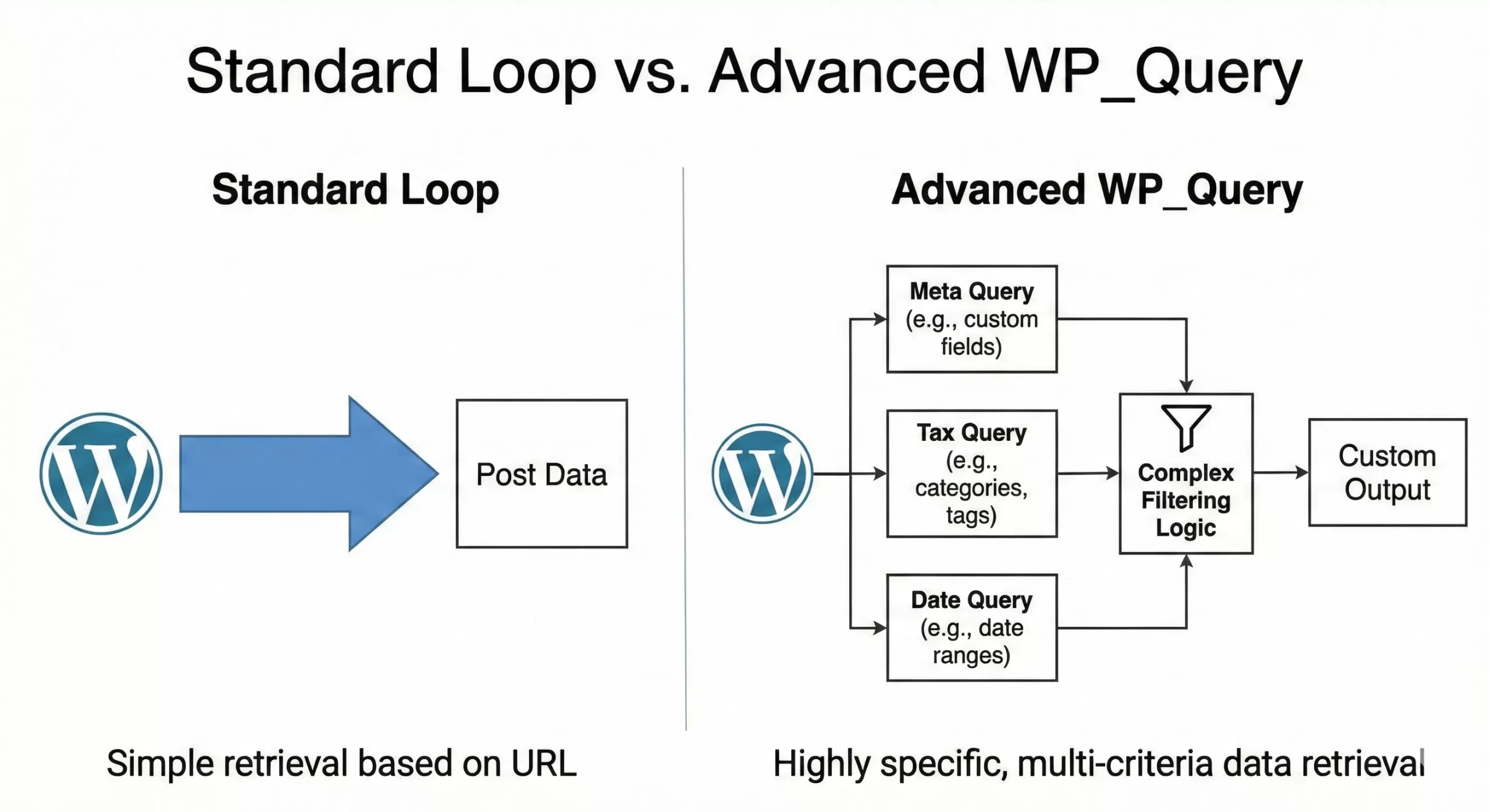
By the end of this tutorial, you will understand how to manipulate the query variables to serve edge cases that standard documentation often glosses over.
The Anatomy of a Complex Meta Query
One of the most common requirements in modern WordPress development is filtering content based on custom fields. While fetching posts by a single meta key is straightforward, real-world applications often demand logic that combines multiple conditions. This is where the meta_query argument shines.
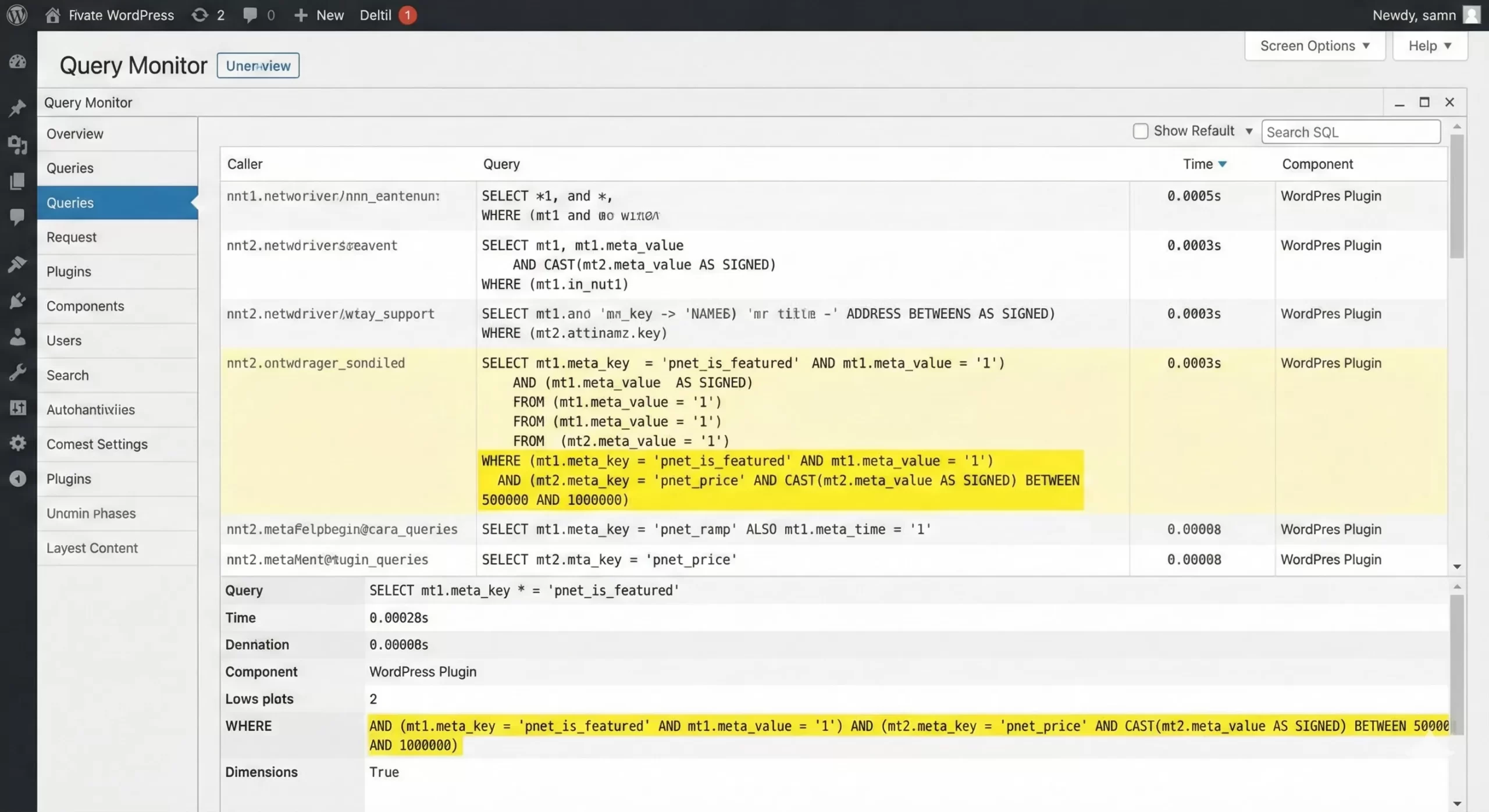
Imagine you are building a real estate website. You need to show properties that are either “Featured” OR have a price between $500,000 and $1,000,000, but they must also possess a specific “State” value. This requires nesting logic using arrays.
Here is how you structure such an Advanced WP_Query:
$pnet_args = array(
    'post_type'  => 'property',
    'posts_per_page' => 10,
    'meta_query' => array(
        'relation' => 'AND', // The outer container requires both inner arrays to be true
        array(
            'relation' => 'OR', // Inner logic: Featured OR Price Range
            array(
                'key'   => 'pnet_is_featured',
                'value' => '1',
                'compare' => '='
            ),
            array(
                'key'     => 'pnet_price',
                'value'   => array( 500000, 1000000 ),
                'type'    => 'NUMERIC',
                'compare' => 'BETWEEN'
            )
        ),
        array(
            'key'     => 'pnet_state',
            'value'   => 'Texas',
            'compare' => '='
        )
    )
);

$pnet_query = new WP_Query( $pnet_args );
Notice the use of 'type' => 'NUMERIC'. Without this, WordPress treats the meta values as strings, which can cause sorting disasters (e.g., treating “100” as smaller than “20” because 1 < 2). This attention to data types is a hallmark of proper Advanced WP_Query implementation.
You might also like:

Taxonomy Handling: Multiple Taxonomies with Complex Relations
Similar to meta queries, taxonomy queries (tax_query) allow for powerful filtering. A classic edge case involves exclusion. Suppose you run a movie review site. You want to display movies that are in the “Action” genre AND released in the “90s” era, but you explicitly want to exclude anything tagged as “Animated”.
The Advanced WP_Query handles this via the NOT IN operator within a tax_query.
$pnet_movie_args = array(
    'post_type' => 'movie',
    'tax_query' => array(
        'relation' => 'AND',
        array(
            'taxonomy' => 'genre',
            'field'    => 'slug',
            'terms'    => 'action',
        ),
        array(
            'taxonomy' => 'era',
            'field'    => 'slug',
            'terms'    => '90s',
        ),
        array(
            'taxonomy' => 'format',
            'field'    => 'slug',
            'terms'    => 'animated',
            'operator' => 'NOT IN', // The Excluder
        ),
    ),
);

$pnet_query = new WP_Query( $pnet_movie_args );
This level of granularity is essential for creating “Smart Lists” or dynamic content blocks that update automatically as you add content, ensuring your site remains dynamic without manual curation.
Must Read: How to Build a WordPress Custom Category Template: Unlocking Design Freedom
Performance Optimization: The no_found_rows Parameter
When discussing Advanced WP_Query techniques, we cannot ignore performance. By default, when you run a query, WordPress calculates the total number of rows found (pagination) so it knows how many pages exist. However, if you are building a “Recent Posts” widget or a slider where pagination is not required, this calculation is a waste of database resources.
You can significantly speed up your queries by setting no_found_rows to true. This tells WordPress to stop counting after it retrieves the required posts, skipping the SQL_CALC_FOUND_ROWS query entirely.
$pnet_optimized_args = array(
    'post_type'      => 'post',
    'posts_per_page' => 5,
    'no_found_rows'  => true, // Essential for performance on non-paginated lists
    'update_post_meta_cache' => false, // If you don't need meta data, disable this too
    'update_post_term_cache' => false, // If you don't need categories/tags, disable this
);

$pnet_fast_query = new WP_Query( $pnet_optimized_args );
Using this parameter is a best practice for high-traffic sites. It reduces the load on your MySQL server and ensures your site remains snappy even under heavy load.
Handling Date Queries: The Edge Cases
Date queries are often underutilized. While most developers know how to fetch posts from a specific year, an Advanced WP_Query can handle relative date ranges. For example, let’s say you want to display “This Week’s Top Stories,” but your “Week” is defined as a rolling 7-day window, not a calendar week.
Furthermore, you can process complex requirements like “posts published between 9 AM and 5 PM on weekdays” (simulating business hours logic).
$pnet_date_args = array(
    'date_query' => array(
        array(
            'after' => '1 week ago', // Relative string parsing
            'inclusive' => true,
        ),
        array(
            'hour'      => 9,
            'compare'   => '>=',
        ),
        array(
            'hour'      => 17,
            'compare'   => '<=',
        ),
        array(
            'dayofweek' => array( 2, 6 ), // Mon to Fri (1 is Sunday in some configs, usually 2-6 is Mon-Fri depending on locale, best to test)
            'compare'   => 'BETWEEN',
        ),
    ),
);
$pnet_query = new WP_Query( $pnet_date_args );
This flexibility eliminates the need for PHP-based filtering after the query runs, keeping your logic efficient and server-side.
You might also like:

Super Advanced: Modifying the SQL Clause
Sometimes, even the massive array of parameters in Advanced WP_Query is not enough. You might encounter a client request like: “Search for posts where the Title contains ‘Review’ but the Content does NOT contain ‘Sponsored’.”
Standard search parameters search both title and content. To separate them, you need to hook into the SQL clauses using WordPress filters like posts_where. This is the pinnacle of query customization.
Here is a safe way to inject custom SQL into your query:
function pnet_title_filter( $where, $query ) {
    global $wpdb;

    // Only run this for our specific query to avoid breaking the site
    if ( $query->get( 'pnet_specific_search' ) ) {

        // Title MUST contain 'Review'
        $where .= " AND {$wpdb->posts}.post_title LIKE '%Review%'";

        // Content must NOT contain 'Sponsored'
        $where .= " AND {$wpdb->posts}.post_content NOT LIKE '%Sponsored%'";
    }

    return $where;
}
add_filter( 'posts_where', 'pnet_title_filter', 10, 2 );

// Now run the query with the custom trigger
$pnet_sql_args = array(
    'post_type' => 'post',
    'pnet_specific_search' => true, // Our trigger
    'suppress_filters' => false // Crucial! Filters won't run if this is true
);

$pnet_custom_sql_query = new WP_Query( $pnet_sql_args );
This method allows you to perform highly specific text analysis directly within the database query, saving significant processing time compared to looping through results in PHP and discarding them manually.
Ordering by Multiple Parameters
Another common scenario involves complex sorting. Perhaps you want to list “In Stock” products first, and then sort those products by price. This requires ordering by two different meta keys. In a standard setup, this is difficult because meta_key only accepts one string.
However, Advanced WP_Query syntax allows us to name our meta queries and use those names in the orderby clause.
$pnet_sort_args = array(
    'post_type'  => 'product',
    'meta_query' => array(
        'relation' => 'AND',
        'pnet_stock_clause' => array(
            'key'     => '_stock_status',
            'compare' => 'EXISTS',
        ),
        'pnet_price_clause' => array(
            'key'     => '_price',
            'type'    => 'NUMERIC',
            'compare' => 'EXISTS',
        ),
    ),
    'orderby' => array(
        'pnet_stock_clause' => 'ASC',  // Sort by stock status first
        'pnet_price_clause' => 'DESC', // Then by price high to low
    ),
);
By naming the keys in the meta_query array (pnet_stock_clause), we can reference them in the orderby array. This feature was introduced in WordPress 4.2 and remains one of the most useful tools for developers building e-commerce catalogs.
Outbound Resources for Further Learning
While we have covered extensive ground, the WP_Query class is massive. For a complete list of every single parameter available, including rare caching parameters and mime-type filters, we highly recommend bookmarking the official documentation. You can find the complete reference on the WordPress Codex function page.
Summary
Mastering the Advanced WP_Query class is a journey, not a destination. As you build more complex WordPress sites, you will find yourself returning to these snippets and refining them. From combining logical operators in meta queries to injecting raw SQL for edge cases, these tools empower you to build exactly what your project needs, free from the constraints of the default loop.
Remember to always test your queries on a staging environment, especially when using filters like posts_where, as a small syntax error there can break your entire site. Keep experimenting, keep optimizing, and utilize the full power of Advanced WP_Query to build better, faster web experiences.