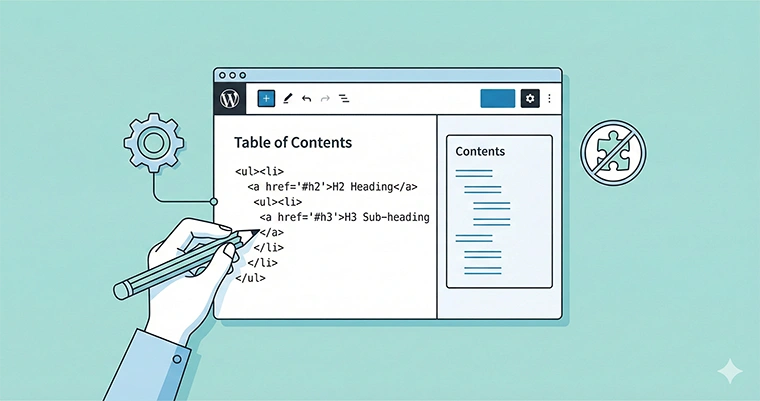
We all know the struggle. You want to improve your site’s user experience and SEO structure, but you are terrified of installing yet another heavy plugin. Today, I’m going to show you exactly how to generate a WordPress Table of Contents without plugin bloat, using nothing but a lightweight PHP function.
As a developer, I believe in keeping the codebase clean. Plugins are great, but for something as logical as parsing headers and creating a list, we don’t need the overhead of extra CSS files, JavaScript libraries, and database queries that most TOC plugins load.
In this guide, we will write a custom function that uses Regex (Regular Expressions) to automatically scan your blog posts for H2 and H3 tags, generate anchor links, and insert a sleek Table of Contents right before your first header.
☛Why Build a WordPress Table of Contents Without Plugin?
Before we dive into the code, let’s look at why this “Do It Yourself” approach is superior.
- Performance: You have total control. No unused assets are loaded on pages where you don’t need them.
- SEO Benefits: A WordPress Table of Contents without plugin still provides the same “jump links” that Google loves to display in search results (SERPs).
- Security: Fewer plugins mean fewer potential entry points for vulnerabilities.
The Logic: How the Regex Parsing Works
We aren’t just pasting code blindly; we are going to understand it. To create a WordPress Table of Contents without plugin, we need to manipulate the $content variable before it renders on the screen.
We will use a WordPress filter hook called the_content. Our function will:
- Search for all
h2andh3tags using a Regex pattern. - Automatically modify those tags to include an id attribute (so the links have somewhere to jump to).
- Generate an HTML list (
ul) of those headers. - Prepend that list to the top of your post content.
Step 1: The PHP Code
Add the following code snippet to your theme’s functions.php file or a site-specific plugin.
Note: As per our development standards, we are using the prefix
pnet_to prevent conflicts with other themes or plugins.
<?php
/**
 * PNET: Automatically generate a Table of Contents (TOC)
 * and inject anchors into H2 and H3 tags.
 */
function pnet_auto_toc_filter( $content ) {

    // Only run on single posts to avoid messing up the homepage or archives
    if ( ! is_single() ) {
        return $content;
    }

    // Regex pattern to find H2 and H3 tags
    // This looks for <h2/3>, captures attributes, and captures the inner text
    $pattern = '/<h([2-3])(.*?)>(.*?)<\/h\1>/i';

    // Check if there are any headers in the content
    if ( preg_match_all( $pattern, $content, $matches, PREG_SET_ORDER ) ) {

        $toc_list = '<div class="pnet-toc-container">';
        $toc_list .= 'Contents';
        $toc_list .= '<ul class="pnet-toc-list">';

        $anchors = []; // Array to track used anchors to avoid duplicates

        foreach ( $matches as $match ) {
            $tag_level   = $match[1]; // 2 or 3
            $attributes  = $match[2]; // Existing class or styles
            $heading_text = strip_tags( $match[3] ); // Clean text for the anchor

            // Create a slug-friendly ID from the heading text
            $slug = sanitize_title( $heading_text );

            // Ensure unique IDs (in case two headers are identical)
            if ( isset( $anchors[$slug] ) ) {
                $slug .= '-' . count( $anchors );
            }
            $anchors[$slug] = true;

            // Build the TOC list item
            $toc_list .= '<li class="pnet-toc-item-' . $tag_level . '">';
            $toc_list .= '<a href="#' . $slug . '">' . $heading_text . '</a>';
            $toc_list .= '</li>';

            // Replace the original header in content with the ID-injected version
            // We use preg_replace specifically for this occurrence to avoid replacing wrong tags
            $replacement = '<h' . $tag_level . $attributes . ' id="' . $slug . '">' . $match[3] . '</h' . $tag_level . '>';

            // We only replace the first occurrence of this specific string match to be safe
            $pos = strpos( $content, $match[0] );
            if ( $pos !== false ) {
                $content = substr_replace( $content, $replacement, $pos, strlen( $match[0] ) );
            }
        }

        $toc_list .= '</ul>';
        $toc_list .= '</div>';

        // Prepend the TOC to the content
        // You can also inject this after the first paragraph if preferred
        return $toc_list . $content;
    }

    return $content;
}

// Hook the function to WordPress content
add_filter( 'the_content', 'pnet_auto_toc_filter' );
♯Understanding the code
In the code above, pnet_auto_toc_filter is the workhorse. We use preg_match_all to find every instance of a header. The sanitize_title() function is a WordPress native helper that turns “My Cool Header!” into my-cool-header, perfect for HTML IDs.
Step 2: Styling Your TOC
Now that we have successfully added the WordPress Table of Contents without plugin, it likely looks a bit plain. It’s just a raw HTML list. Let’s make it look professional with some CSS.
Add this to your theme’s style.css file or the Customizer (Appearance > Customize > Additional CSS).
/* PNET Table of Contents Styling */
.pnet-toc-container {
    background: #f9f9f9;
    border: 1px solid #e1e1e1;
    border-left: 5px solid #0073aa; /* WordPress Blue */
    padding: 20px;
    margin-bottom: 30px;
    border-radius: 4px;
    max-width: 600px;
}

.pnet-toc-title {
    font-weight: 700;
    font-size: 1.2rem;
    margin-top: 0;
    margin-bottom: 10px;
    text-transform: uppercase;
    letter-spacing: 1px;
}

.pnet-toc-list {
    list-style: none;
    padding-left: 0;
    margin: 0;
}

.pnet-toc-list li {
    margin-bottom: 8px;
}

.pnet-toc-list a {
    text-decoration: none;
    color: #333;
    transition: color 0.3s ease;
}

.pnet-toc-list a:hover {
    color: #0073aa;
}

/* Indent H3 tags to show hierarchy */
.pnet-toc-item-3 {
    margin-left: 20px;
    font-size: 0.95em;
    border-left: 2px solid #ddd;
    padding-left: 10px;
}
Once you apply this, your Table of Contents will transform from a generic list into a branded, navigational asset.
You might also like:

Step 3: Adding Smooth Scrolling (Optional)
When users click the links in your WordPress Table of Contents without plugin, the browser will jump instantly to the section. To make this feel more modern, we can add a simple “smooth scroll” effect using CSS alone.
Add this to your style.css:
html {
    scroll-behavior: smooth;
}
Potential Drawbacks of the Regex Method
While building a WordPress Table of Contents without plugin is excellent for performance, we should be transparent about the limitations.
- Complexity: If your HTML structure is messy (e.g., headers inside other complex divs), Regex can sometimes struggle.
- Static Caching: If you change a header, you might need to clear your site cache for the TOC to update.
However, for 99% of standard blog posts, the pnet_auto_toc_filter function we wrote above is robust and efficient.
Conclusion
You have just saved your website from unnecessary bloat. By implementing this solution, you ensured that your WordPress Table of Contents without plugin implementation is lightweight, fast, and completely under your control.
This method proves that you don’t need a plugin for every single feature. Sometimes, a little bit of PHP is all you need to build a better web.
Do you prefer coding your own solutions or sticking to plugins? Let me know in the comments below!