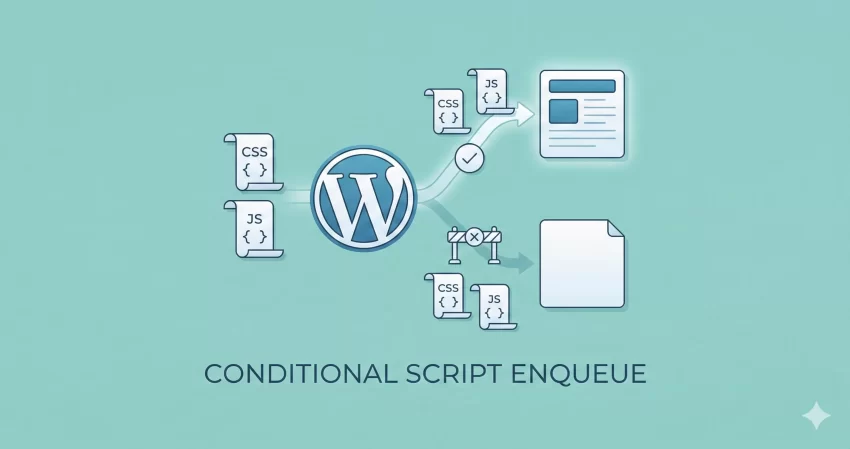
Is your WordPress site sluggish? You might be loading heavy JavaScript and CSS files on pages where they aren’t even used. One of the most effective performance optimizations you can make is to conditionally enqueue scripts in WordPress.
By loading assets only when necessary, you reduce HTTP requests, improve Core Web Vitals, and significantly boost your page speed.
In this guide, we will move beyond the basics of wp_enqueue_script and dive into using conditional logic like is_page() and is_single() to take full control of your site’s performance.
Why You Must Conditionally Enqueue Scripts in WordPress
Every plugin you install likely adds its own CSS stylesheet and JavaScript file. By default, many plugins load these assets on every single page of your website, regardless of whether the plugin’s functionality is actually used on that page.
Imagine a “Contact Form” plugin loading its heavy JavaScript validation library on your blog posts, or a “WooCommerce” slider script loading on your “About Us” page. This unnecessary bloat hurts your:
-
- Page Load Speed: Browsers have to download, parse, and execute code that isn’t needed.
- Google Rankings: Core Web Vitals (specifically LCP and INP) are ranking factors.
- User Experience: Mobile users on slower connections suffer the most.
To fix this, we need to conditionally enqueue scripts in WordPress. This means wrapping your enqueue functions in logic checks so they only fire when specific criteria are met.
The Standard Way vs. The “Right” Way
Most beginners (and even some plugin developers) use the standard method to load scripts globally.
The Standard (Global) Way: This code loads custom-style.css on every page of the site.
function pnet_load_global_assets() {
    wp_enqueue_style( 'pnet-global-style', get_stylesheet_uri() );
}
add_action( 'wp_enqueue_scripts', 'pnet_load_global_assets' );
While this is fine for your main style.css, it is terrible for specific assets like a portfolio slider or a form validator.
The Right Way (Conditional): We want to check where the user is before telling WordPress to load the file.
How to Conditionally Enqueue Scripts in WordPress
Let’s look at practical scenarios. We will use the wp_enqueue_scripts hook combined with WordPress Conditional Tags.
1. Loading Scripts Only on a Specific Page
The most common scenario is loading a script, such as a contact form validator or a Google Map, only on a specific page (e.g., your “Contact Us” page).
We use the is_page() function for this. You can pass the Page ID, Page Title, or Page Slug. Using the slug is usually the most readable method.
/**
 * Conditionally enqueue scripts for the Contact page.
 */
function pnet_load_contact_assets() {
    // Check if we are on the page with slug 'contact-us'
    if ( is_page( 'contact-us' ) ) {

        // Enqueue the script only here
        wp_enqueue_script(
            'pnet-contact-form-js',
            get_template_directory_uri() . '/js/contact-form.js',
            array( 'jquery' ),
            '1.0.0',
            true // Load in footer
        );

        // You can also load CSS conditionally
        wp_enqueue_style(
            'pnet-contact-css',
            get_template_directory_uri() . '/css/contact.css'
        );
    }
}
add_action( 'wp_enqueue_scripts', 'pnet_load_contact_assets' );
In the code above, if a user visits your Home page or a Blog post, WordPress skips the code inside the if block. The browser never sees the request for contact-form.js, helping you conditionally enqueue scripts in WordPress effectively.
You might also like:
2. Loading Scripts on Single Posts Only
If you have a script that formats code blocks (like Prism.js) or a social sharing bar that should only appear on single blog posts, you should use is_single().
function pnet_load_single_post_assets() {
    // Check if this is a single post of type 'post'
    if ( is_single() && 'post' == get_post_type() ) {

        wp_enqueue_script(
            'pnet-social-share',
            get_template_directory_uri() . '/js/social-share.js',
            array(),
            '1.0',
            true
        );
    }
}
add_action( 'wp_enqueue_scripts', 'pnet_load_single_post_assets' );
This ensures your homepage and archive pages remain lightweight.
3. Loading Scripts for Custom Post Types
If you are running a portfolio or a real estate site, you might have a Custom Post Type (CPT) called projects or houses. You can conditionally enqueue scripts in WordPress specifically for these archives or single pages.
function pnet_load_project_assets() {
    // Check if on a single 'project' CPT or the project archive page
    if ( is_singular( 'project' ) || is_post_type_archive( 'project' ) ) {

        wp_enqueue_style(
            'pnet-project-gallery',
            get_template_directory_uri() . '/css/project-gallery.css'
        );
    }
}
add_action( 'wp_enqueue_scripts', 'pnet_load_project_assets' );
Advanced: Dequeueing Plugin Scripts Conditionally
Sometimes, the problem isn’t your code – it’s the plugins you have installed. Many plugins load their assets globally, which defeats the purpose of trying to conditionally enqueue scripts in WordPress for your own theme.
Fortunately, you can unload (dequeue) files registered by plugins. You simply need to find the “handle” name used by the plugin (you can find this by inspecting the page source or using a plugin like Query Monitor).
Here is how to prevent a plugin from loading its assets on pages where you don’t need them:
/**
 * Dequeue plugin assets on non-relevant pages.
 * Hooking at priority 100 ensures this runs AFTER the plugin adds its scripts.
 */
function pnet_unload_plugin_assets() {
    // If we are NOT on the 'shop' page, remove WooCommerce styles (example)
    if ( ! is_page( 'shop' ) ) {

        // You must know the handle name the plugin uses
        wp_dequeue_style( 'plugin-handle-name-css' );
        wp_dequeue_script( 'plugin-handle-name-js' );
    }
}
add_action( 'wp_enqueue_scripts', 'pnet_unload_plugin_assets', 100 );
Note: Be careful when dequeuing plugin scripts. If you remove a script that a plugin relies on for a specific widget in your footer, that widget may break.
Best Practices for Conditional Loading
To successfully conditionally enqueue scripts in WordPress, keep these tips in mind:
- Use the Correct Hook: Always use
wp_enqueue_scriptsfor frontend assets. - Load in Footer: Whenever possible, set the
$in_footerparameter totruein yourwp_enqueue_scriptfunction. This prevents “render-blocking” JavaScript. - Combine Logic: You can combine checks using PHP operators. For example:
if ( is_page('about') || is_page('contact') ). - Check Dependencies: If your conditional script relies on jQuery, make sure you list
array('jquery')as a dependency. WordPress handles loading jQuery automatically, but only if you declare it.
You might also like:

Troubleshooting Common Issues
If you try to conditionally enqueue scripts in WordPress and it doesn’t work:
Wrong Handle: Ensure the handle name (the first parameter) is unique and correct.
Caching: Clear your browser cache and any server-side caching (like WP Rocket or Autoptimize) after making changes.
Priority: If you are dequeuing scripts, ensure your priority is set higher (e.g., 100) so your function runs after the plugin has already added the script.
Conclusion
Optimizing your asset loading is one of the hallmarks of a professional WordPress developer. By taking the time to conditionally enqueue scripts in WordPress, you ensure your site remains lean, fast, and ranks better in search engines.
Don’t let unused CSS and JavaScript bloat your site. proper use of is_page, is_single, and wp_dequeue_script gives you the granular control needed for a top-tier web experience. Start auditing your functions.php today and see how much lighter your pages can become!