
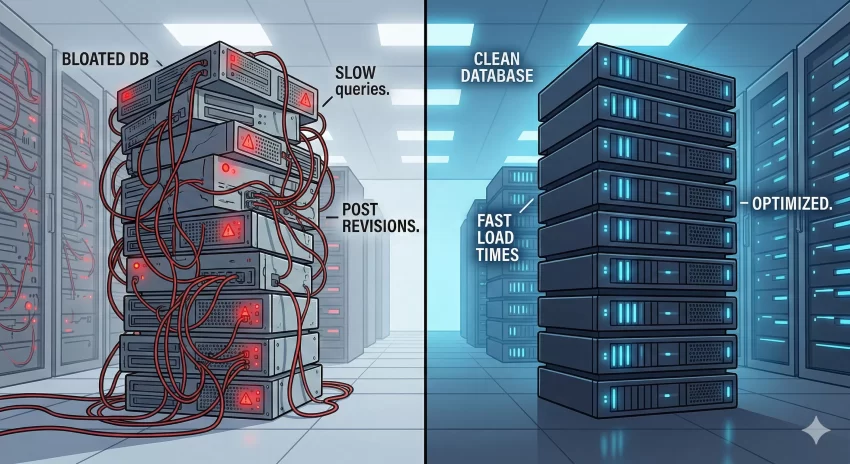
As your WordPress database grows, maintaining optimal performance becomes a critical challenge for developers. One of the biggest culprits of database bloat is the accumulation of unnecessary post revisions. Every time you hit “Save Draft” or “Update”, WordPress stores a complete copy of that post in the wp_posts table. Over months or years, this can result in gigabytes of wasted space, severely slowing down your backend queries. To maintain a lightning-fast site and prevent fatal database timeouts, you need to systematically delete old WordPress revisions without wiping out recent, useful backups.
While WordPress offers constants to limit the total number of revisions per post, it doesn’t provide a native way to clean up older, obsolete data based on a timeframe. In this comprehensive technical guide, we will build a custom, automated solution. By the end of this tutorial, you will have a robust script to automatically delete old WordPress revisions older than a specified number of days using WP-Cron.
Backup Required
wp_posts table directly or via bulk functions is irreversible without a snapshot. Prerequisites for the Setup
Before implementing the code to delete old WordPress revisions, ensure your development environment meets the following technical requirements:
- PHP 8.0 or higher for optimal performance and syntax compatibility.
- Administrator access to your WordPress installation.
- A solid understanding of the WordPress WP-Cron API.
- Access to your theme’s
functions.phpfile, or ideally, a custom site-specific plugin. - A database backup (via a tool like phpMyAdmin or a CLI backup script).

Understanding Database Bloat and the Revision System
To effectively delete old WordPress revisions, we must first understand how WordPress stores them. The wp_posts table is the heart of your site. When you create a post, it is assigned a post_type of ‘post’ or ‘page’. However, every revision is also stored in this exact same table with a post_type of ‘revision’. Furthermore, each revision inherits metadata and term relationships, meaning the bloat extends into the wp_postmeta and wp_term_relationships tables.
If a highly active blog publishes 10 articles a week, and each article takes 20 saves to complete, you are generating 200 useless database rows weekly. This doesn’t just consume disk space; it drastically impacts the performance of WP_Query executions, making your admin dashboard sluggish. By choosing to delete old WordPress revisions on a rolling schedule (e.g., anything older than 30 days), you preserve recent backups for active editing while continuously pruning dead weight.
Why Not Just Use WP_POST_REVISIONS?
Many developers simply add define('WP_POST_REVISIONS', 5); to their wp-config.php file. While this is a good practice to limit future bloat, it is inherently flawed for two reasons. First, it does not retroactively clean up the thousands of revisions already sitting in your database. Second, it limits by count, not by time. You might want to keep unlimited revisions during the intense first week of drafting a post, but you rarely need them 60 days later. A time-based cron job to delete old WordPress revisions is the superior architectural approach.
You might also like: Master WordPress Transients for Instant Speed : The 3 Core Functions You Need
Step 1: Creating a Custom WP-Cron Schedule
WordPress comes with a few default cron schedules: hourly, twicedaily, and daily. Depending on the size of your site and the aggressive nature of your cleanup, you might want a custom interval. In this step, we will hook into the cron_schedules filter to add a ‘weekly’ schedule. This is the foundation that will allow us to safely delete old WordPress revisions in the background without overwhelming server resources.
Here is the code to establish our new timeline. We prefix our functions with pnet_ to avoid namespace collisions.
function pnet_add_weekly_cron_schedule( $schedules ) {
    $schedules['weekly'] = array(
        'interval' => 604800, // 7 days in seconds
        'display'  => __( 'Once Weekly', 'pnet-textdomain' )
    );
    return $schedules;
}
add_filter( 'cron_schedules', 'pnet_add_weekly_cron_schedule' );
Pro Tip for Developers
Step 2: Scheduling the Cleanup Event
Now that our custom timeframe exists, we need to instruct WordPress to schedule our specific action. We will create an initialization function that checks if our custom hook (pnet_daily_revision_cleanup_hook) is already scheduled. If it isn’t, we will schedule it using the wp_schedule_event function. This ensures that our automated system to delete old WordPress revisions is actively registered in the cron array.
It is best practice to run this scheduling routine during a plugin activation hook or safely hooked into admin_init (though checking it on every admin load adds a micro-overhead, it is standard for theme-based implementations).
function pnet_schedule_revision_cleanup() {
    if ( ! wp_next_scheduled( 'pnet_daily_revision_cleanup_hook' ) ) {
        wp_schedule_event( time(), 'weekly', 'pnet_daily_revision_cleanup_hook' );
    }
}
add_action( 'admin_init', 'pnet_schedule_revision_cleanup' );
Step 3: Writing the Deletion Logic
This is the core of our tutorial. The function below will actually query the database and execute the command to delete old WordPress revisions. We must be highly specific here: we only want to target posts where post_type = 'revision' and where the post_modified date is older than our specified timeframe (e.g., 30 days).
Utilizing Native Core Functions
Instead of writing a raw SQL DELETE query, which is dangerous and bypasses critical cache-clearing mechanisms, we will use wp_delete_post_revision(). This core function is essential because it safely removes the revision while also cleaning up associated metadata and term relationships, ensuring no orphaned data is left behind when we delete old WordPress revisions.
function pnet_execute_revision_cleanup() {
    global $wpdb;

    // Define how many days old a revision must be to get deleted.
    $days_old = 30;

    // Calculate the cutoff date.
    $cutoff_date = date( 'Y-m-d H:i:s', strtotime( '-' . $days_old . ' days' ) );

    // Query the database for IDs of revisions older than the cutoff date.
    // We limit to 100 per run to prevent server timeouts on massive databases.
    $query = $wpdb->prepare(
        "SELECT ID FROM {$wpdb->posts}
         WHERE post_type = 'revision'
         AND post_modified < %s
         LIMIT 100",
        $cutoff_date
    );

    $revisions_to_delete = $wpdb->get_col( $query );

    if ( ! empty( $revisions_to_delete ) ) {
        foreach ( $revisions_to_delete as $revision_id ) {
            // Native function safely deletes revision and its metadata.
            wp_delete_post_revision( $revision_id );
        }
    }
}
add_action( 'pnet_daily_revision_cleanup_hook', 'pnet_execute_revision_cleanup' );
Intermediate Developer Note
LIMIT 100 clause in the SQL query. If you have 50,000 revisions, trying to delete old WordPress revisions all at once via a PHP foreach loop will undoubtedly cause a 504 Gateway Timeout. Batch processing is a mandatory architectural standard for stable applications. Troubleshooting Common Errors
When setting up automated scripts to delete old WordPress revisions, developers occasionally run into issues. Here are the most common roadblocks and how to resolve them.
Why is the cron job not triggering?
WordPress relies on page loads to trigger WP-Cron. If your site has very low traffic, the scheduled event to delete old WordPress revisions might not fire on time. The solution is to disable native WP-Cron in your wp-config.php and set up a real server-side cron job via your hosting control panel (like cPanel or Forge) that pings wp-cron.php every 5 minutes.
Will this script delete my published posts?
No, the logic specifically targets the ‘revision’ post type. The raw SQL query we wrote uses WHERE post_type = 'revision', making it impossible for the script to accidentally delete old WordPress revisions alongside your actual published pages or custom post types.
Why is my database size not decreasing after deletion?
When you delete old WordPress revisions, MySQL/MariaDB leaves “overhead” (empty space) in the table rather than shrinking the file immediately. You need to run an OPTIMIZE TABLE wp_posts; SQL command to reclaim the physical disk space after a massive purge.
You might also like: Master WordPress Transients for Instant Speed : The 3 Core Functions You Need
Summary and Final Thoughts
Dealing with database bloat is an inevitable part of managing a successful, content-heavy web application. By utilizing the script provided above, you can seamlessly bridge the gap between keeping helpful recent drafts and discarding ancient, useless data. Taking the time to build a custom WP-Cron task gives you absolute, granular control over your server’s storage footprint.
Remember to test this code in a staging environment first. Adjust the $days_old variable and the LIMIT clause to suit your specific server capabilities. Once implemented, this automated routine will quietly and efficiently delete old WordPress revisions in the background, ensuring your database remains lean, fast, and completely optimized for peak performance.